iPhone Lock Screen Wallpaper Prompts: 25 Indian Portrait Ideas
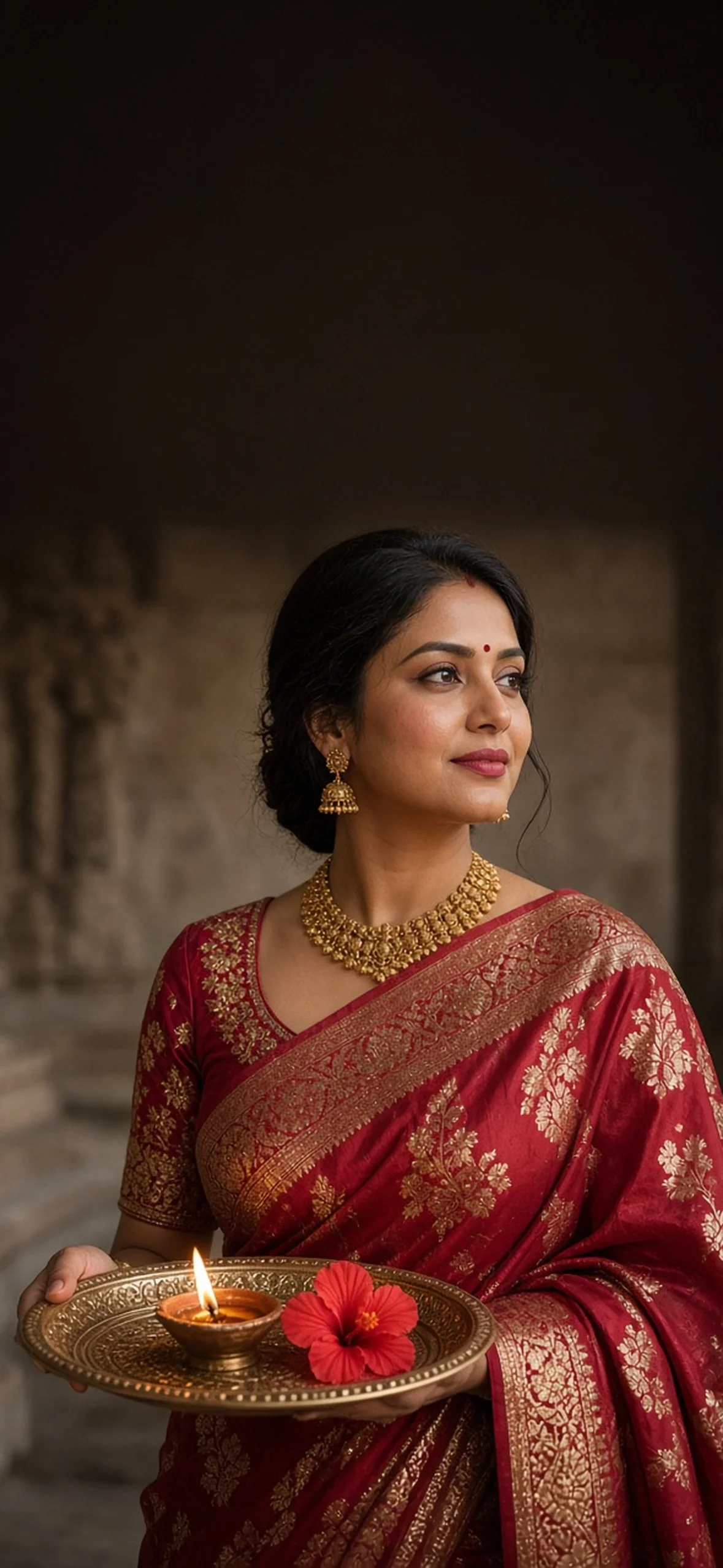
Table of contents
- What Resolution Should an iPhone Lock Screen Wallpaper Be?
- Lock Screen Layout: Clock, Widgets and Safe Areas
- Depth Effect vs Spatial Scene
- 25 iPhone Lock Screen Wallpaper AI Prompts
- 1. Red Banarasi Aarti Thali
- 2. Peacock Blue Kanjivaram Courtyard
- 3. Sunshine Marigold Petal Joy
- 4. Royal Paithani Twilight Jharokha
- 5. White Kasavu Lotus Dawn
- 6. Royal Purple Zardozi Diya
- 7. Emerald Kamarbandh Mandap
- 8. Sunset Kuthu Vilakku Courtyard
- 9. Karwa Chauth Chhalni Moon
- 10. Red Chiffon Pergola Moon Bokeh
- 11. Bandhani Abhla Garba Joy
- 12. Silver-Grey Organza Diya
- Men, Weddings and Contemporary Indian Portraits
- 13. Ivory Chikankari Heritage Portrait
- 14. Midnight Bandhgala Courtyard
- 15. Mumbai Night Rider
- 16. Himalayan Sunrise Traveller
- 17. Ivory Lehenga and Forest Sherwani
- 18. Pastel High-Key Half Saree
- Editorial, Artistic and Personal Wallpaper Styles
- 19. Terracotta Artist Studio
- 20. Coffee Window in Kolkata Rain
- 21. Linen Morning in Kerala
- 22. Sitar Stage Chiaroscuro
- 23. Jaisalmer Dune Editorial
- 24. Regal Kalamkari Monochrome
- 25. Mature Anniversary Slow Dance
- How to Generate the Wallpaper in Gemini or ChatGPT
- How to Set and Customise the Wallpaper on iPhone
- Photo Shuffle and Failure Recovery
These iPhone lock screen wallpaper prompts combine expressive Indian portrait photography with the layout details that actually decide whether a wallpaper works: clean clock space, legible widgets, subject separation and enough headroom for cropping. Choose from 25 original saree, kurta, travel, couple, music, cinematic and minimalist concepts.
The source’s rich Banarasi, Kanjivaram, Paithani, Kasavu, organza and temple-lamp styling is represented through new images and wording. Additional concepts introduce Indian men, couples and contemporary lifestyles, because a personal lock screen need not be a festival portrait all year.
All images in this tutorial are AI-generated illustrations. Use them as inspiration or generate your own in Gemini, ChatGPT, Midjourney or another image editor; never present an invented shoot as documentary event coverage. Borrow faces or personal photos only with the person’s consent.
What Resolution Should an iPhone Lock Screen Wallpaper Be?
Start with a portrait file at 1179 × 2556 pixels, approximately 9:19.5 (more precisely 9:19.507). This matches the useful reference shape requested here and is large enough for a sharp personal wallpaper on a 1179-pixel-wide display kept at native point-for-pixel scale.
There is no universal iPhone resolution. For example, Apple lists iPhone 17 Pro at 1206 × 2622, iPhone Air at 1260 × 2736, and iPhone 17 Pro Max at 1320 × 2868. Older 1179 × 2556-Class iPhones and smaller models again differ. Check the model specification before decluttering a crop: more pixels are not useful if your subject will be cut off by zoom. A larger source such as 1320 × 2868 is practical as a shared master: retain critical features within the centre and trim to screen shape.
AI generators often produce 9:16 rather than 9:19.5. Our assets use 9:16 generation with side safety margin, then a central crop to exactly 1179 × 2556. Generators may also resize the result on export, so inspect pixel dimensions—not just a label saying “8K.” Upscale after composition looks correct; interpolation cannot repair deformed hands or invented jewellery.
Lock Screen Layout: Clock, Widgets and Safe Areas
The interface varies by model and software version, so treat these as planning zones, not a universal pixel specification. Crop a screenshot of your own Lock Screen if you need an exact mockup.
- Top 8–12%: status information, Dynamic Island or notched region; avoid a hard horizontal line or important object here.
- Next 20–28%: date, time and potential layer interaction. Keep it quiet, but let a little hair approach the lower edge of the clock zone if you want to try Depth Effect.
- Middle 35–55%: face, upper torso and leading gesture. Allow side margins for a pinch-drag crop.
- Bottom 15–25%: notifications, quick controls and home indicator; keep sleeves, hands or bike wheels outside critical touch regions.
The time can sit above or layer behind a subject. Widgets still belong lower than the main headroom. Weather, battery, calendar, activity and a text widget can be genuinely useful, but four boxes competing with a detailed pallu can make the face disappear. Try one widget first, then test how the lock screen appears in sunlight and when dimmed.
For neutral editing and skin detail that translates well into tiny crops, our home portrait and natural-light guide gives equally relevant face and window-light direction.
Depth Effect vs Spatial Scene
Depth Effect is layered photo wallpaper: the time may tuck slightly behind a person’s hair or another recognised foreground. The image still needs a clear subject boundary and meaningful separation from the background. If the head hides most of the digits, if it is too high or low or if the background is chaotic, layering may not appear. It is not a menu switch every image supports.
Spatial Scene, available on supported iPhones running newer iOS versions, converts eligible photos into a moving 3D treatment. Apple currently says iPhone 12 or later with iOS 26 can use it. This is not the same animation as a Live Photo lock screen, nor is it a reason to expect a paper-flat generated silhouette to become physically accurate.
Source advice claiming that widgets always disable Depth Effect is too absolute and now outdated. Apple’s current instructions permit widgets plus layered or spatial options. Test on your device. If the desired effect fails, temporarily remove widgets, reduce clock obstruction, adjust the image vertically and retry; then add back only widgets that preserve the look.
For a markedly different photographic mood, our black and white romantic portrait prompts explain silhouette edges, chiaroscuro and film grain that can also help with subject segmentation.
25 iPhone Lock Screen Wallpaper AI Prompts
The cards are worded for a 9:16 generator with generous side margins. After generating, crop centrally to your phone shape; detailed resizing and preview steps follow below. “85mm” and “f/1.4” are aesthetic instructions to the generator, not metadata or proof of optical capture.
1. Red Banarasi Aarti Thali
Keep bells, garlands and arch tops below the clock. The bright thali should sit near the waist rather than under the chin, leaving the face uncluttered. With real diyas, choose a nonflammable setting and stable hold.
Photorealistic vertical wallpaper of an adult Indian person, composed in the lower half with the subject’s head roughly 46–50% down the frame. Keep at least the upper 35–40% entirely uncluttered with a smooth low-detail background for iPhone clock and widget safe areas, allow broad side margins for cropping to 9:19.5, natural skin pores, no text, no phone frame. adult woman in crimson red Banarasi silk saree with rich gold zari, embroidered blouse, gold temple choker, tiny bindi and kohl-rimmed eyes, holding ornate brass aarti plate with one flickering diya and red hibiscus at waist. Ancient warmly lit stone temple pillars below shoulder height. 85mm lens at f/2 for enough two-hand detail, subtle peach fuzz and crystalline catchlights. No watermark, no logo, no invitation typography, no frame or UI mockup.
2. Peacock Blue Kanjivaram Courtyard
Cool silk against small amber lights makes an excellent OLED composition. If clock font is white, keep the top sky dark rather than pale so digit contrast remains high.
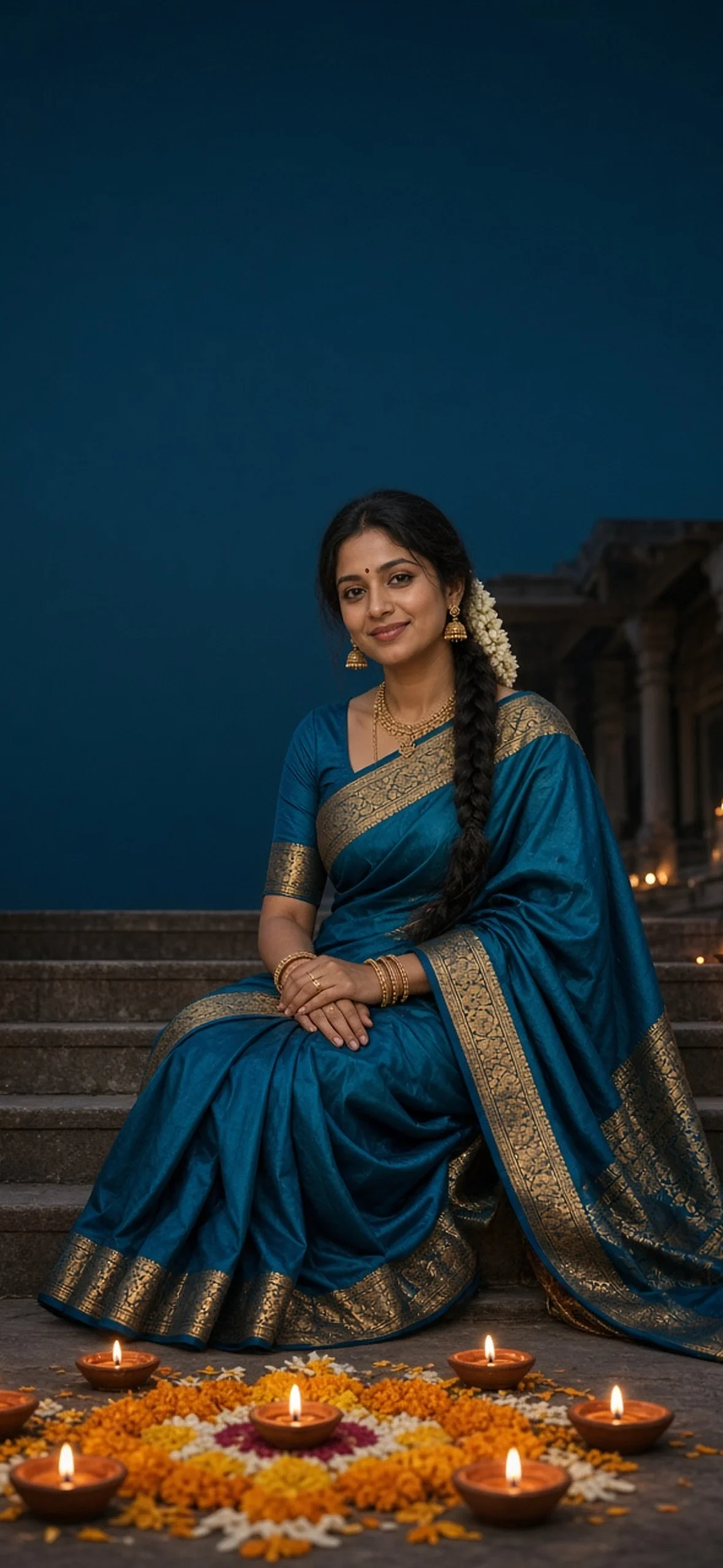
Photorealistic vertical wallpaper of an adult Indian person, composed in the lower half with the subject’s head roughly 46–50% down the frame. Keep at least the upper 35–40% entirely uncluttered with a smooth low-detail background for iPhone clock and widget safe areas, allow broad side margins for cropping to 9:19.5, natural skin pores, no text, no phone frame. adult woman in peacock-blue Kanjivaram silk saree with wide gold temple border, gold jhumkas and fresh white jasmine gajra woven into a long braid, seated on heritage courtyard steps with clay diya crescent and marigold rangoli in lower foreground. Deep teal evening sky overhead, warm reflected lamp light, soft candid smile, 50mm optical look, authentic fabric texture. No watermark, no logo, no invitation typography, no frame or UI mockup.
3. Sunshine Marigold Petal Joy
Action petals are charming but dangerous for segmentation: instruct the model to keep all moving petals out of the deep clock zone. If a petal crosses an eye after generation, mask-inpaint it rather than accepting the compromise.
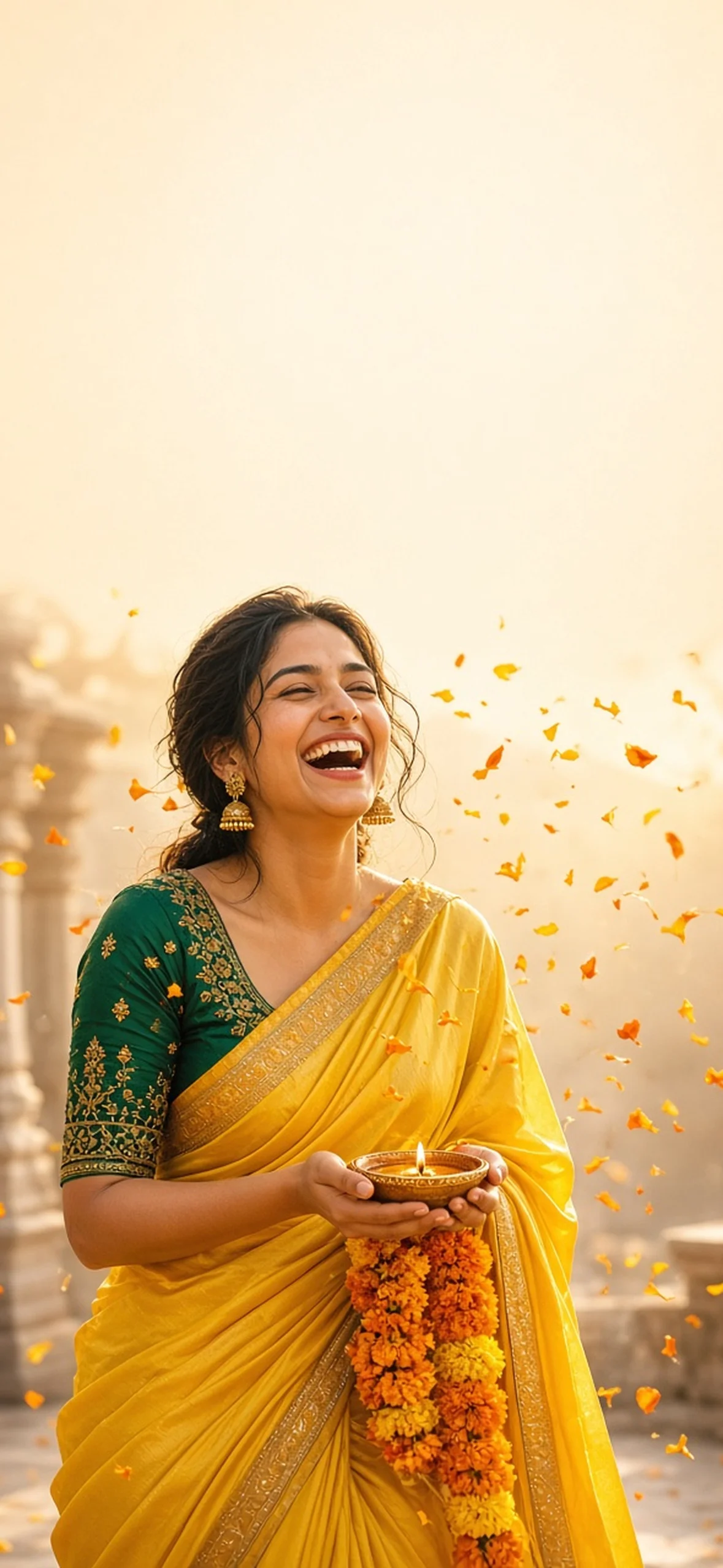
Photorealistic vertical wallpaper of an adult Indian person, composed in the lower half with the subject’s head roughly 46–50% down the frame. Keep at least the upper 35–40% entirely uncluttered with a smooth low-detail background for iPhone clock and widget safe areas, allow broad side margins for cropping to 9:19.5, natural skin pores, no text, no phone frame. adult woman in sunshine-yellow silk saree and emerald embroidered blouse, laughing naturally under a light shower of orange and yellow marigold petals, holding small diya safely at waist with garland draped over forearm. Ornate arch behind lower shoulders and golden-hour rays in the lower third. Top is creamy empty sky; 85mm portrait with sharp eye detail and no plastic smoothing. No watermark, no logo, no invitation typography, no frame or UI mockup.
4. Royal Paithani Twilight Jharokha
Place fireworks beside—not above—the subject. This protects clean segmentation around hair and maang tikka while retaining a festive atmosphere.
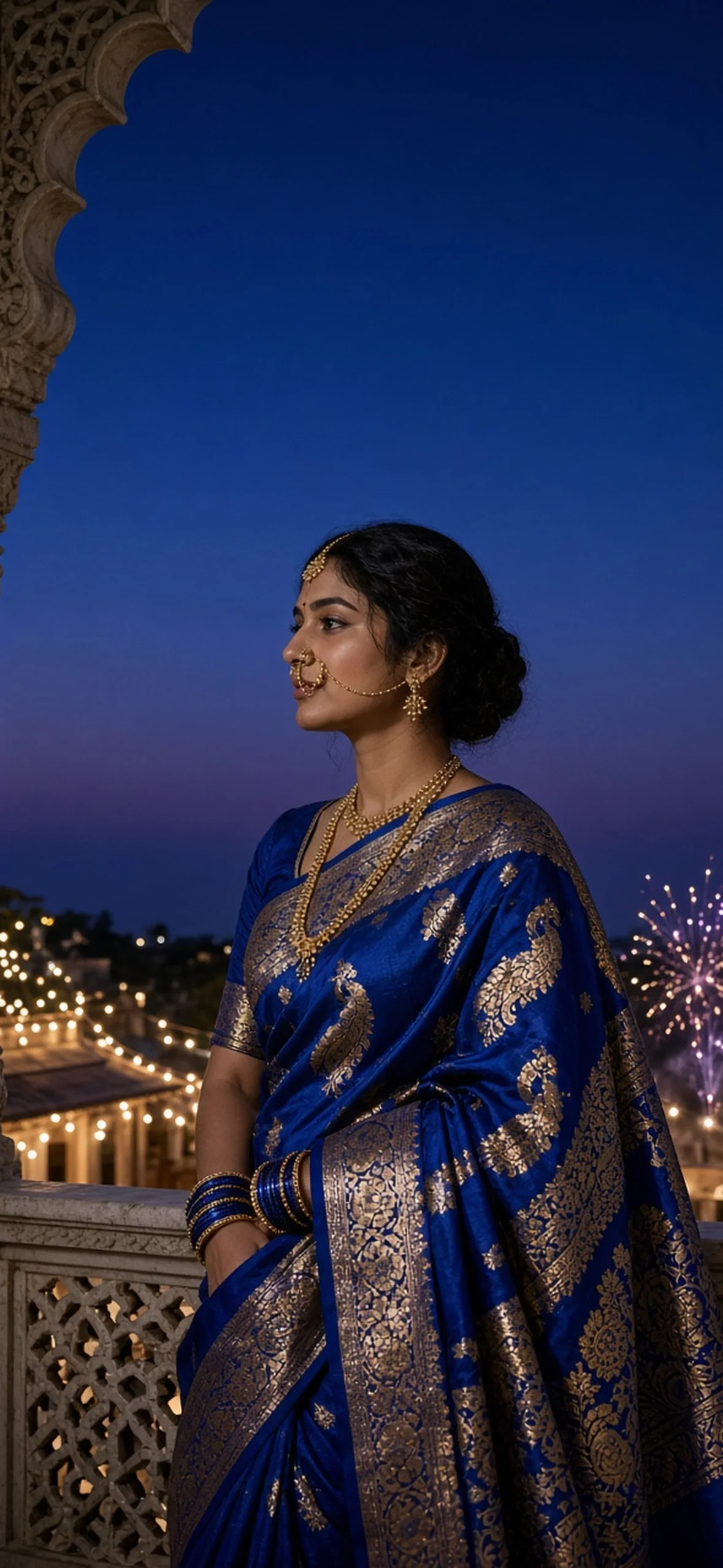
Photorealistic vertical wallpaper of an adult Indian person, composed in the lower half with the subject’s head roughly 46–50% down the frame. Keep at least the upper 35–40% entirely uncluttered with a smooth low-detail background for iPhone clock and widget safe areas, allow broad side margins for cropping to 9:19.5, natural skin pores, no text, no phone frame. adult woman in royal-blue Paithani saree with shimmering gold peacock pallu, blue glass bangles, traditional Maharashtrian nath and maang tikka, standing in profile on secure marble jharokha balcony at dusk. Distant festival fireworks near shoulder level and palace strings below, upper 40% simple sapphire sky, powerful silhouette and 85mm prime-lens jewellery detail. No watermark, no logo, no invitation typography, no frame or UI mockup.
5. White Kasavu Lotus Dawn
White saree folds should stay grey enough not to clip. Use diagonal light on stone pillars below the clock and keep lotus stems anatomically reasonable.
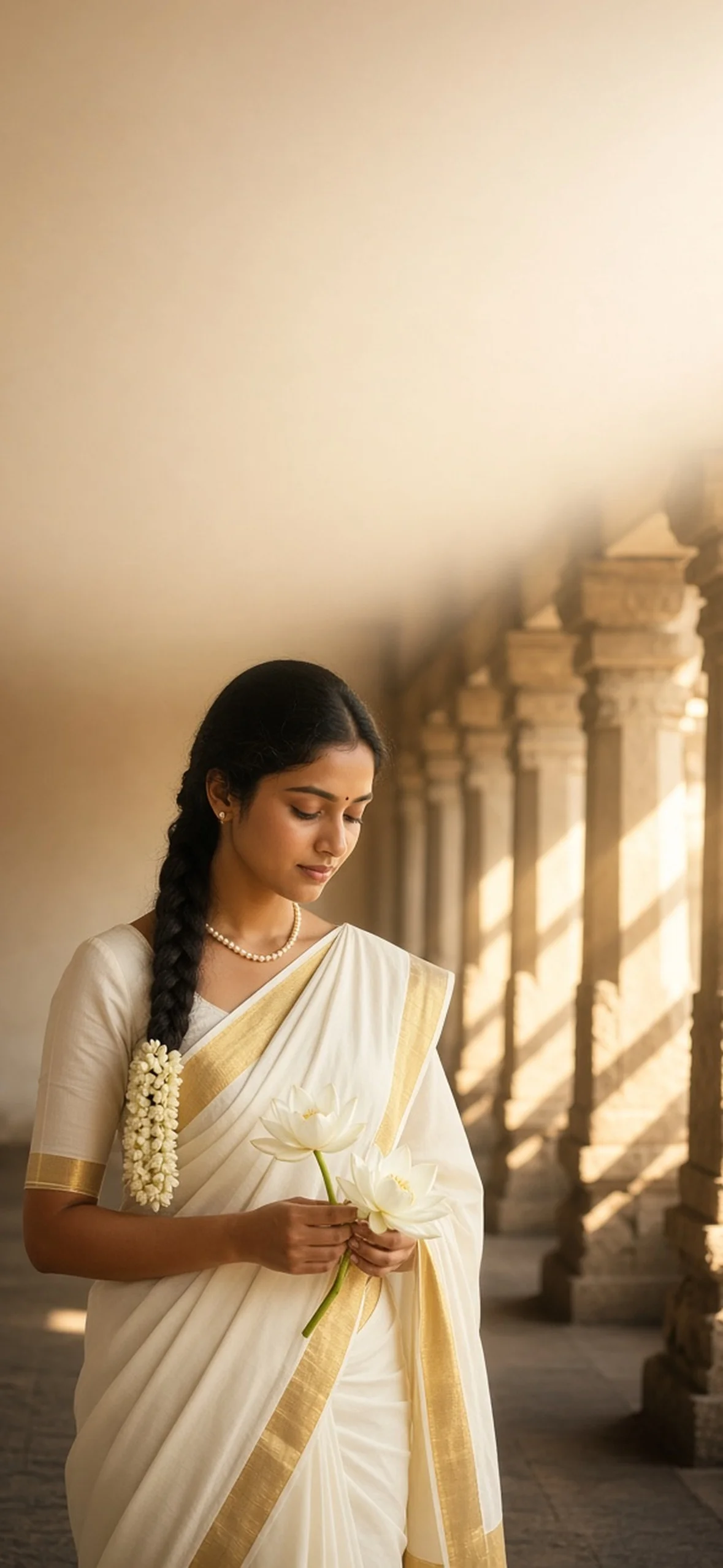
Photorealistic vertical wallpaper of an adult Indian person, composed in the lower half with the subject’s head roughly 46–50% down the frame. Keep at least the upper 35–40% entirely uncluttered with a smooth low-detail background for iPhone clock and widget safe areas, allow broad side margins for cropping to 9:19.5, natural skin pores, no text, no phone frame. adult South Indian woman in pristine ivory Kerala Kasavu silk saree with woven gold zari border, small pearls and jasmine braid, holding fresh white lotus blossoms at waist in a quiet temple colonnade at sunrise. Lower stone pillars and golden god rays softly blurred, warm pale plaster gradient across the entire clock zone, peaceful expression and authentic natural skin. No watermark, no logo, no invitation typography, no frame or UI mockup.
6. Royal Purple Zardozi Diya
Jewel tones work well on OLED, but image beautification often turns zardozi into random sequins. Zoom into embroidery and check for repeating coherent motifs rather than exaggerated sharpness.
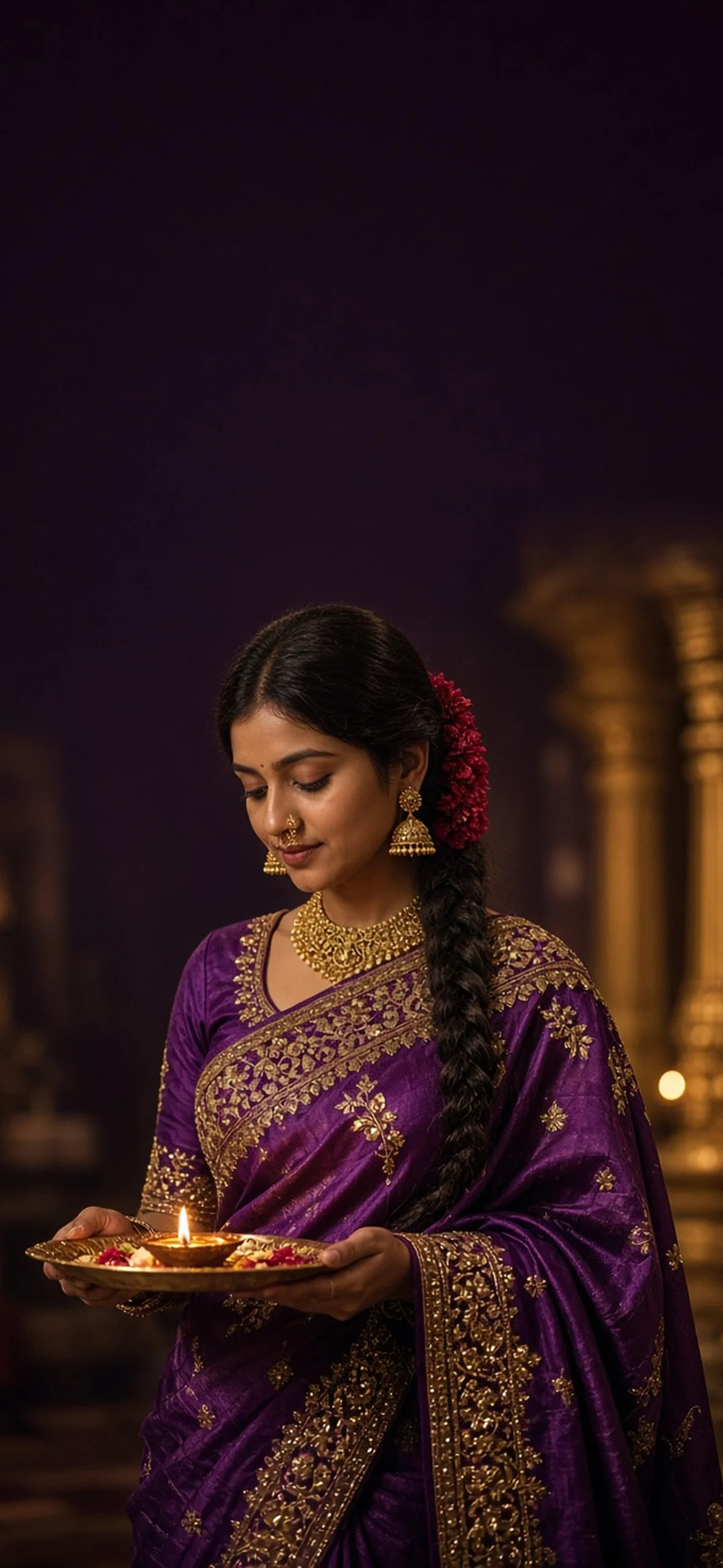
Photorealistic vertical wallpaper of an adult Indian person, composed in the lower half with the subject’s head roughly 46–50% down the frame. Keep at least the upper 35–40% entirely uncluttered with a smooth low-detail background for iPhone clock and widget safe areas, allow broad side margins for cropping to 9:19.5, natural skin pores, no text, no phone frame. adult Indian woman in deep royal-purple silk saree with intricate gold zardozi embroidery and stone border, long braid with red flowers, gold collar necklace, jhumkas and fine nose ring. She holds a brass diya thali at waist with one golden flame, quiet temple architecture behind lower subject, deep plum gradient above, 85mm light texture and genuine smile. No watermark, no logo, no invitation typography, no frame or UI mockup.
7. Emerald Kamarbandh Mandap
A kamarbandh and stacked necklaces provide authentic South Indian styling, but too much jewellery can fragment the subject mask. Preserve a clear gap between earrings and background light.
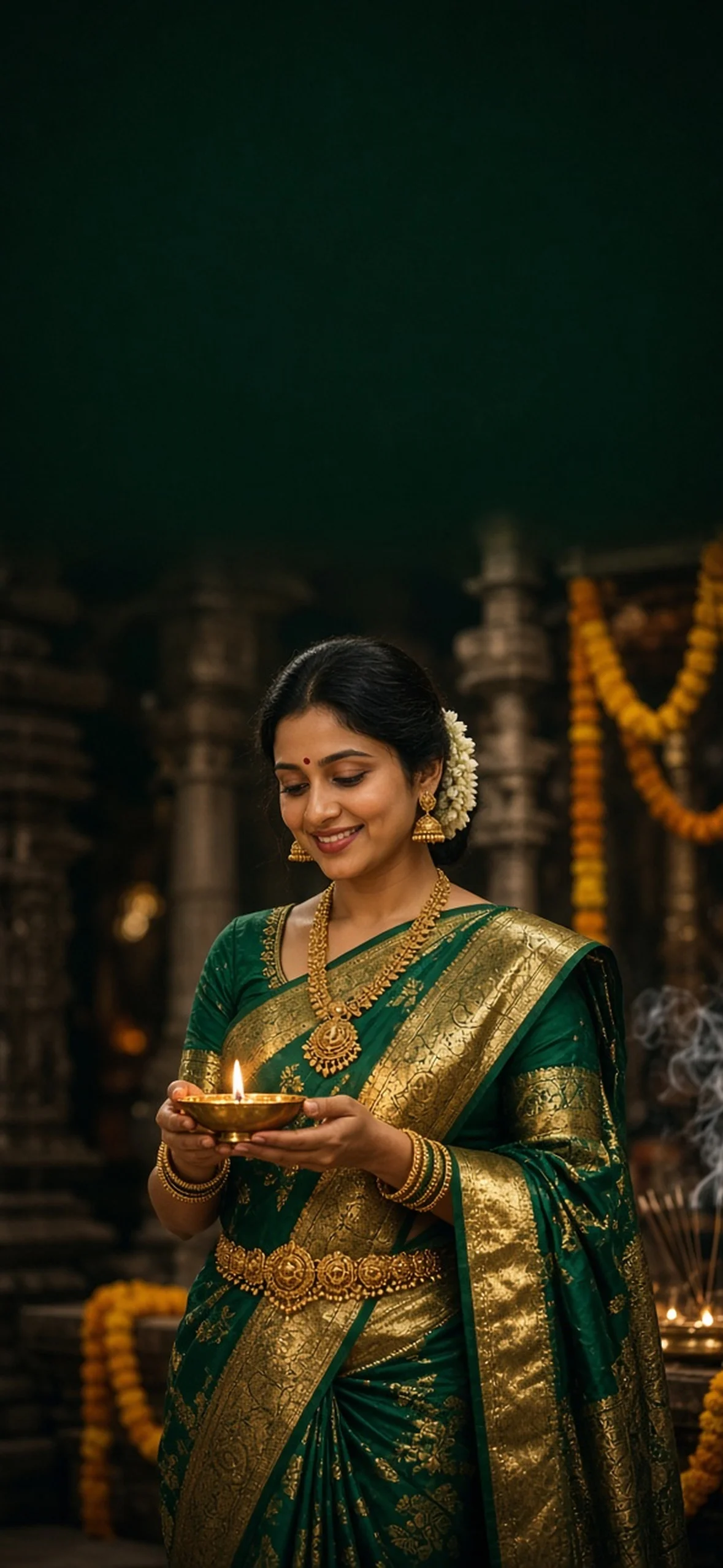
Photorealistic vertical wallpaper of an adult Indian person, composed in the lower half with the subject’s head roughly 46–50% down the frame. Keep at least the upper 35–40% entirely uncluttered with a smooth low-detail background for iPhone clock and widget safe areas, allow broad side margins for cropping to 9:19.5, natural skin pores, no text, no phone frame. South Indian adult woman wearing emerald-green Kanjivaram silk saree with broad gold zari border, antique gold temple jewellery and ornate kamarbandh waist belt, holding a single small brass oil lamp between both hands at waist. Soft mandap bokeh, marigolds and a trace of incense restricted below shoulders, dark emerald negative sky at top, natural dark eyes and red bindi. No watermark, no logo, no invitation typography, no frame or UI mockup.
8. Sunset Kuthu Vilakku Courtyard
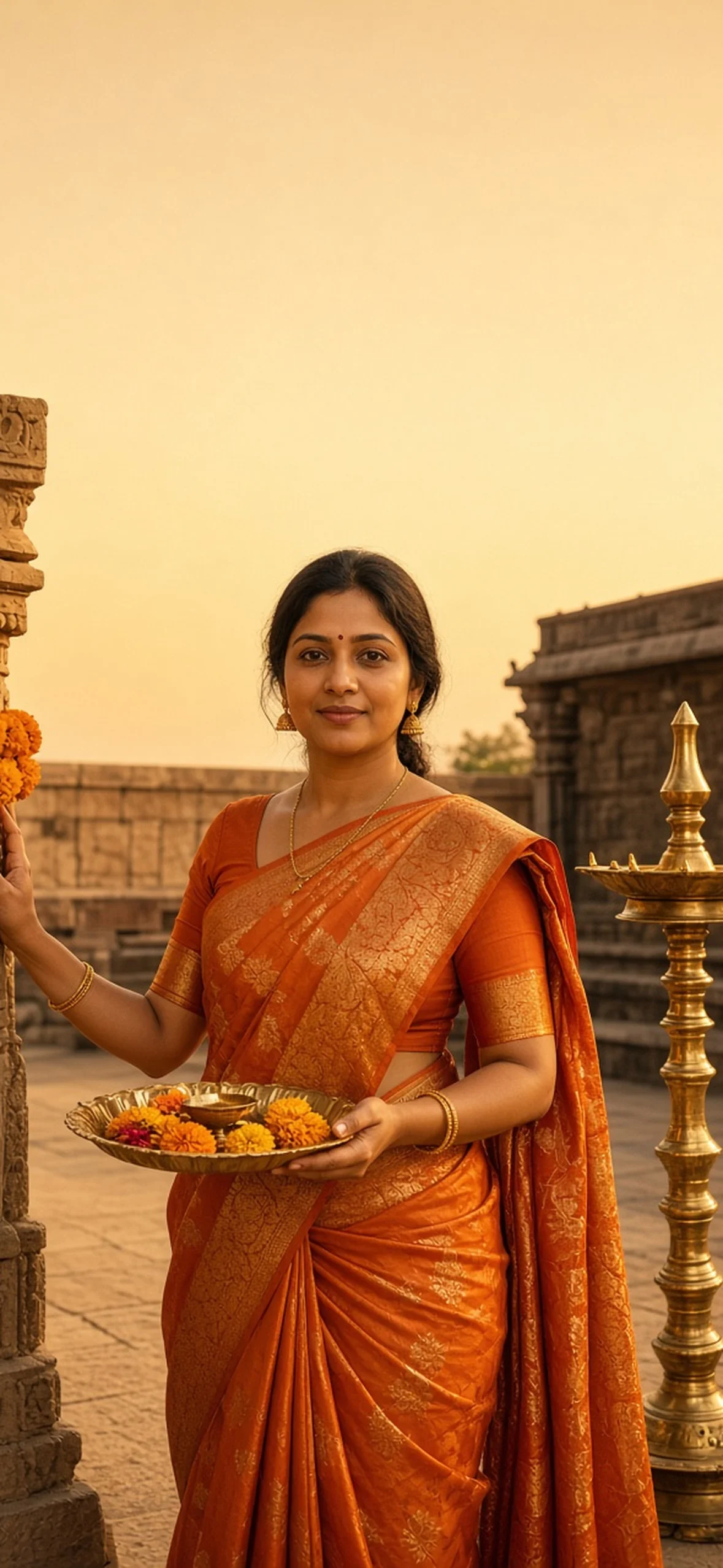
Large floor lamps add a second vertical line that can accidentally enter the clock. Explicitly contain the whole lamp below the subject’s head in your first prompt and lower third later.
Photorealistic vertical wallpaper of an adult Indian person, composed in the lower half with the subject’s head roughly 46–50% down the frame. Keep at least the upper 35–40% entirely uncluttered with a smooth low-detail background for iPhone clock and widget safe areas, allow broad side margins for cropping to 9:19.5, natural skin pores, no text, no phone frame. adult Indian woman in sunset-orange silk saree with shimmering gold brocade pallu beside a marigold-decorated ancient carved column. One hand rests on pillar; brass thali with petals sits safely at waist and ornate kuthu vilakku floor lamp glows alongside below shoulder height. Sunset courtyard shadows and softly graduated pale gold top space, natural 50mm photo. No watermark, no logo, no invitation typography, no frame or UI mockup.
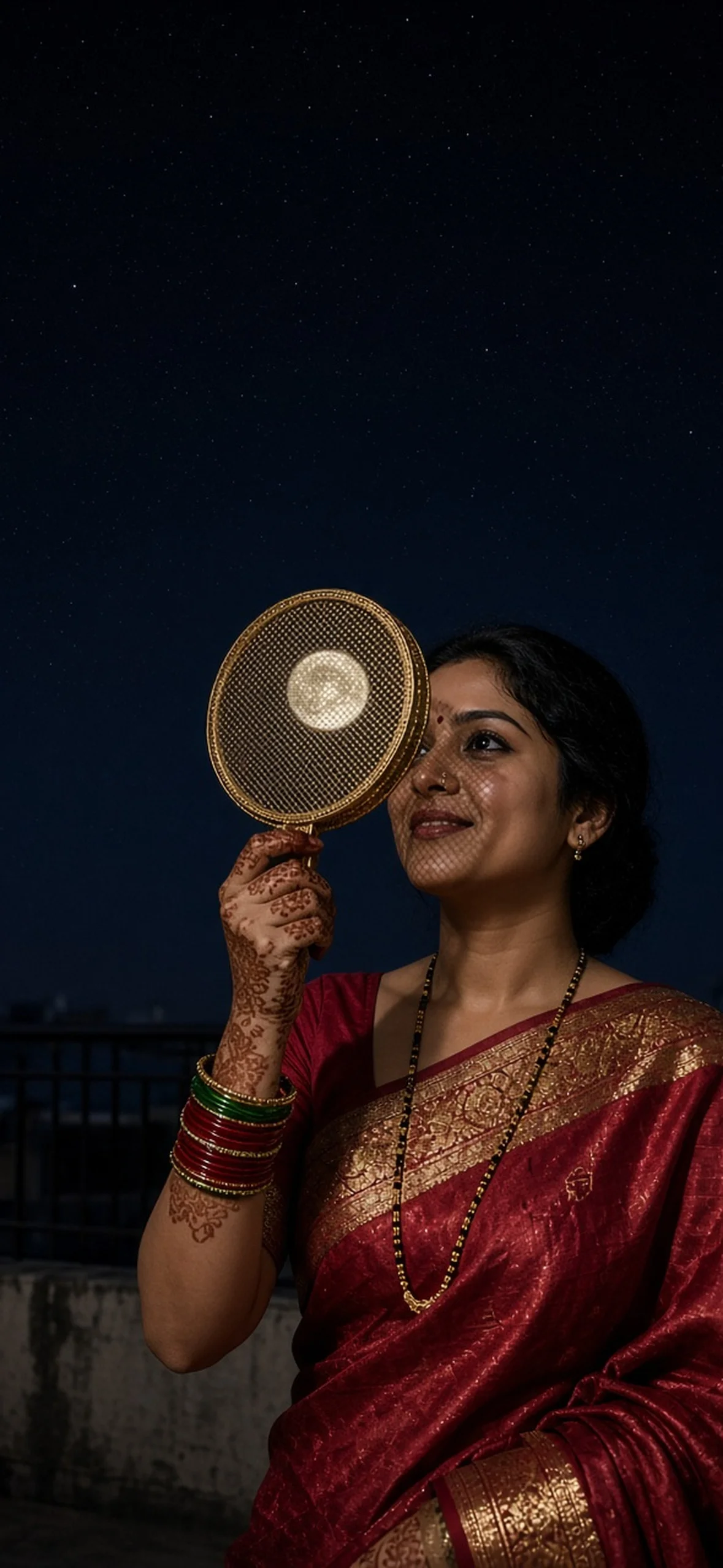
9. Karwa Chauth Chhalni Moon
A chhalni corner can obscure one eye or distort fingers, so generate a few variants. Blank sky is a deliberate choice, not missing content; the moon belongs inside or beside the sieve, not in the safe area.
Photorealistic vertical wallpaper of an adult Indian person, composed in the lower half with the subject’s head roughly 46–50% down the frame. Keep at least the upper 35–40% entirely uncluttered with a smooth low-detail background for iPhone clock and widget safe areas, allow broad side margins for cropping to 9:19.5, natural skin pores, no text, no phone frame. adult woman in crimson silk saree with gold border celebrating Karwa Chauth on a secure rooftop terrace at midnight, delicate mehndi, red and green glass bangles, mangalsutra and tiny nose stud, holding an ornate gold chhalni sieve near smiling face to view a full moon framed just beside its mesh. Soft mesh shadow on cheek, starless smooth dark-navy clock zone, no face warping. No watermark, no logo, no invitation typography, no frame or UI mockup.
10. Red Chiffon Pergola Moon Bokeh
This wide full-length prompt suits less interface overlap. Strong pergola horizontals create background geometry; keep them at shoulder level or down to avoid clock confusion.
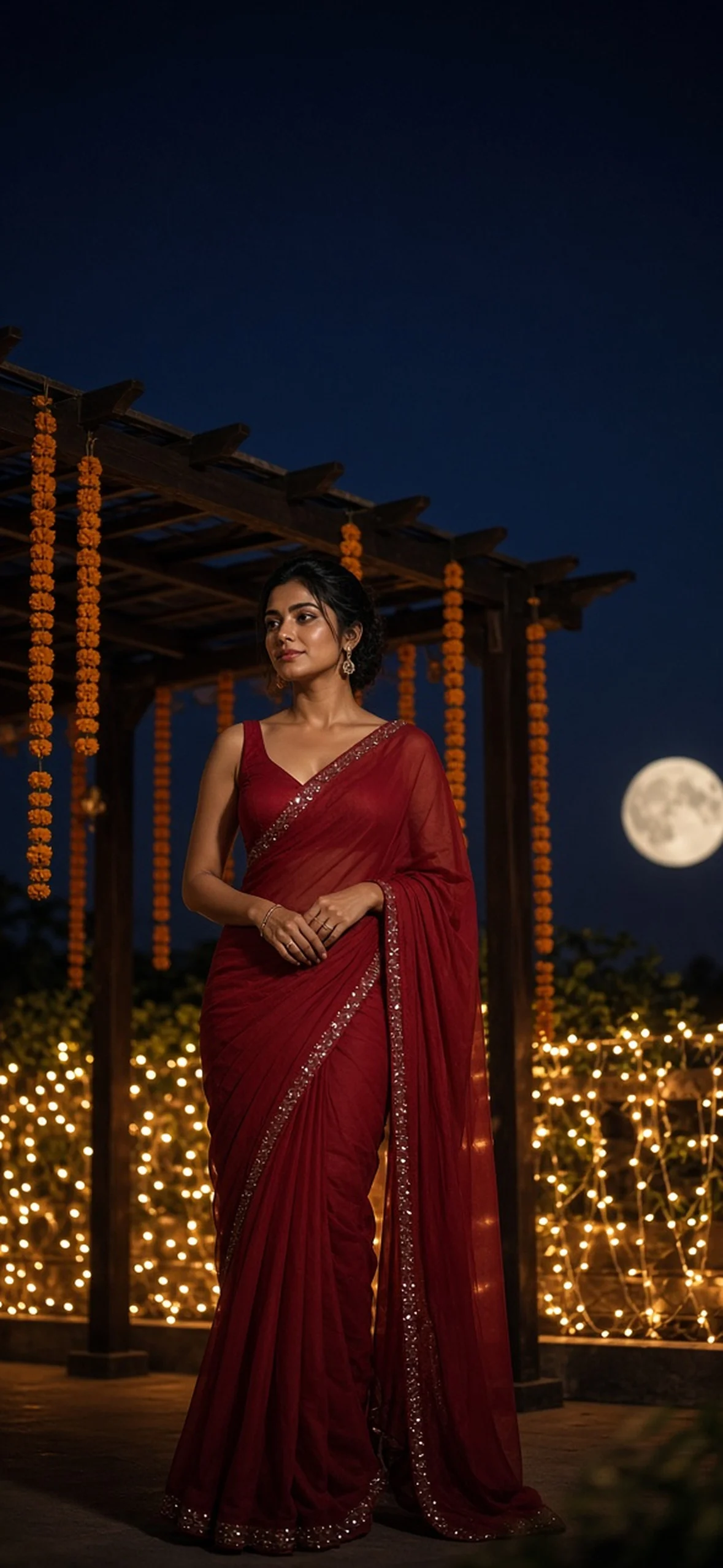
Photorealistic vertical wallpaper of an adult Indian person, composed in the lower half with the subject’s head roughly 46–50% down the frame. Keep at least the upper 35–40% entirely uncluttered with a smooth low-detail background for iPhone clock and widget safe areas, allow broad side margins for cropping to 9:19.5, natural skin pores, no text, no phone frame. adult Indian woman in deep crimson chiffon saree with fine sequin border and elegant sleeveless blouse, full-length beneath wooden rooftop pergola with yellow marigold strings and warm fairy lights behind. Full moon small and softly blurred beside shoulder, brass kalash beside saree hem on stable tabletop, dark indigo plain sky at top, 35mm cinematic realistic fabric. No watermark, no logo, no invitation typography, no frame or UI mockup.
11. Bandhani Abhla Garba Joy
Bandhani mirrorwork should sparkle without bright flakes in the clock zone. Dandiya sticks held below the shoulders reduce merged fingers and preserve the subject’s outline.
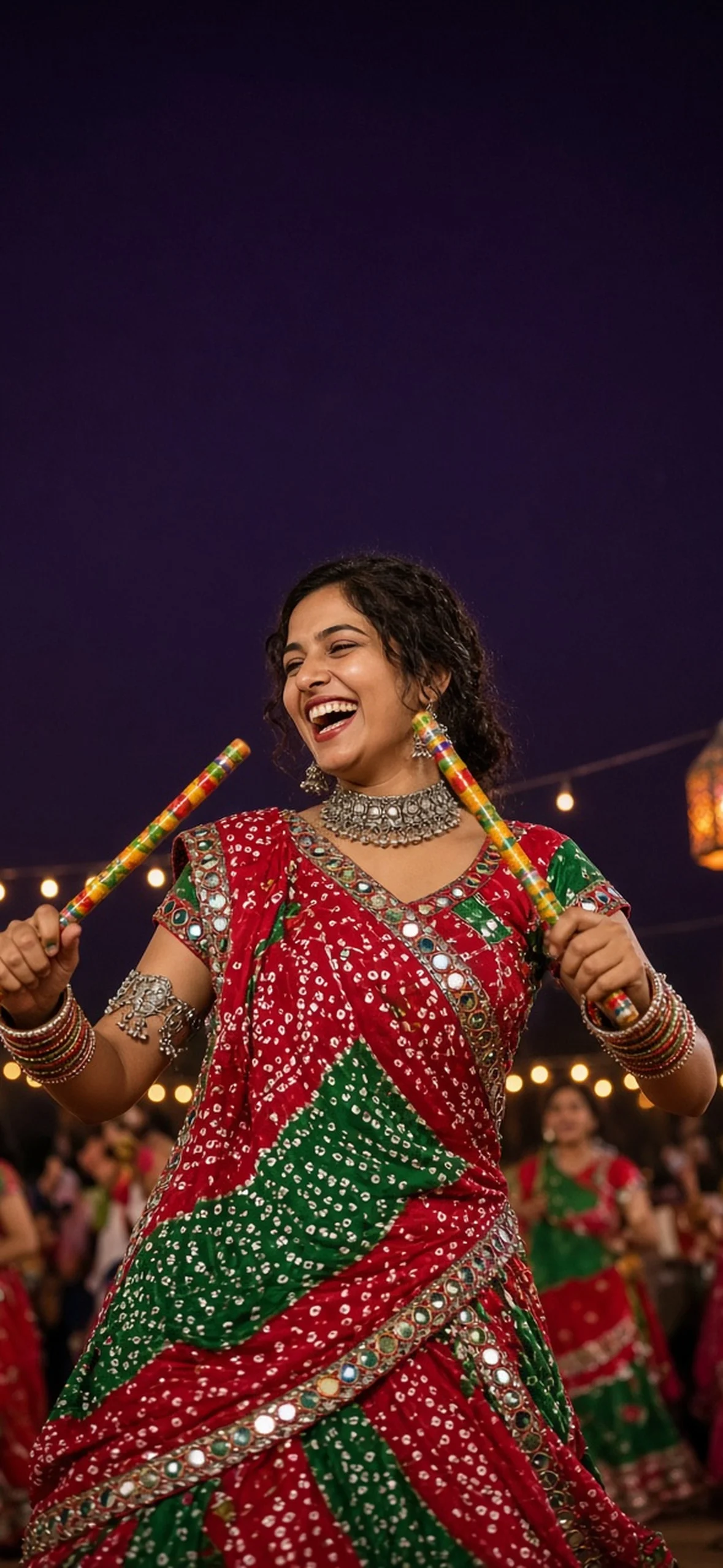
Photorealistic vertical wallpaper of an adult Indian person, composed in the lower half with the subject’s head roughly 46–50% down the frame. Keep at least the upper 35–40% entirely uncluttered with a smooth low-detail background for iPhone clock and widget safe areas, allow broad side margins for cropping to 9:19.5, natural skin pores, no text, no phone frame. adult Gujarati woman in red and green Bandhani-print festive saree with abhla mirrorwork border, oxidised silver choker, armlets and stacked bangles, laughing in a single Garba step with decorated dandiya sticks held below shoulders. Navratri lanterns and blurred dancers restricted to lower background, deep violet clear upper space, 50mm sharp joyful photograph. No watermark, no logo, no invitation typography, no frame or UI mockup.
12. Silver-Grey Organza Diya
Sheer organza and narrow sequins can be high-resolution torture tests. Look at shimmer in full size, then test your phone’s thumbnail zoom: compression can create fake glitter.
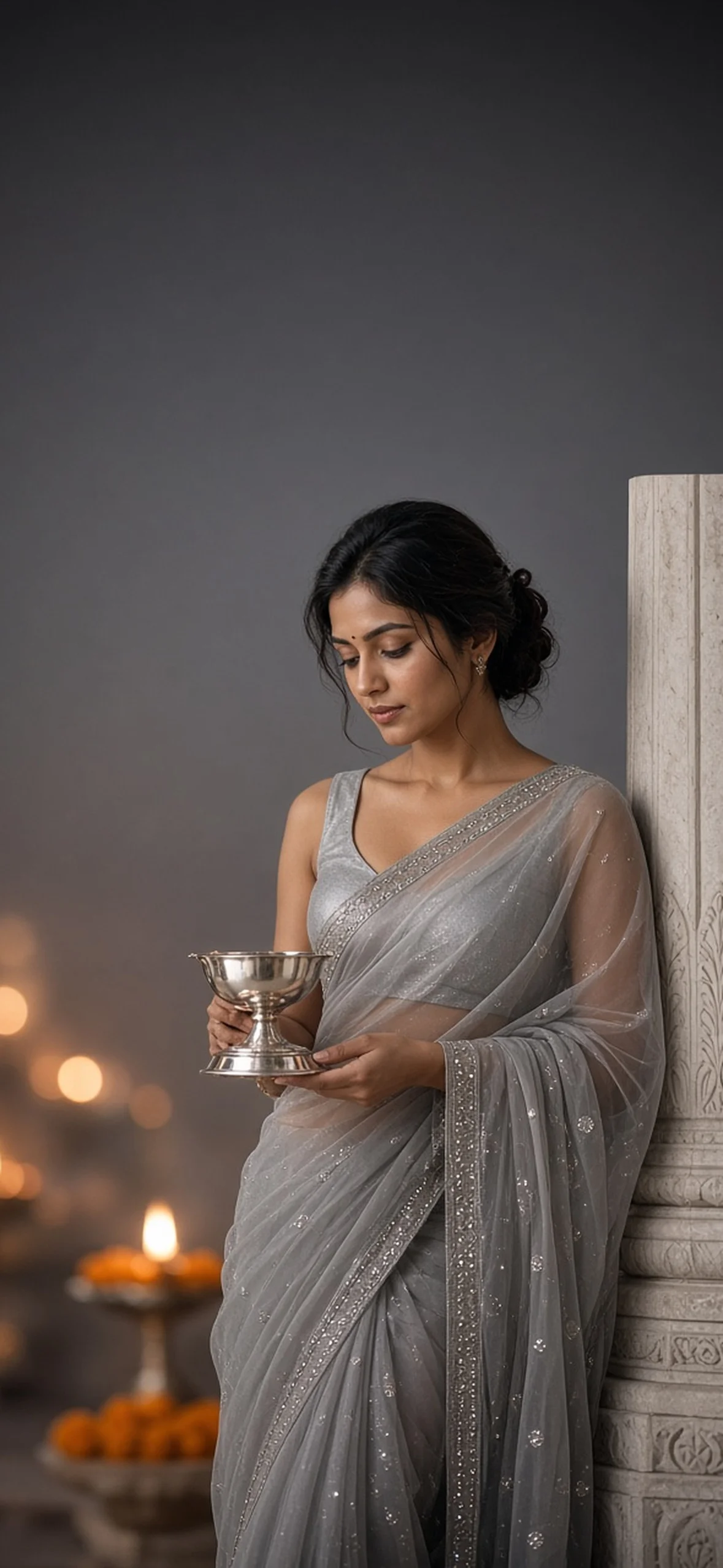
Photorealistic vertical wallpaper of an adult Indian person, composed in the lower half with the subject’s head roughly 46–50% down the frame. Keep at least the upper 35–40% entirely uncluttered with a smooth low-detail background for iPhone clock and widget safe areas, allow broad side margins for cropping to 9:19.5, natural skin pores, no text, no phone frame. adult woman in silver-grey organza saree with translucent fabric and delicate silver sequin border, sleeveless blouse and minimal silver jewellery, holding polished silver diya at waist beside marble temple column. Few lower evening lamps and marigolds in soft bokeh, silver-charcoal neutral gradient above, 85mm lens with natural dewy pores and modern Indian minimal aesthetic. No watermark, no logo, no invitation typography, no frame or UI mockup.
Men, Weddings and Contemporary Indian Portraits
These compositions retain the same safe clock space but move beyond temple scenes into tailored menswear, travel, morning light and quiet home photography.
13. Ivory Chikankari Heritage Portrait
This light palette needs a darker clock font. Nostalgic cotton texture can be enhanced with iPhone’s complementary filters, but avoid so much warmth that natural skin turns orange.
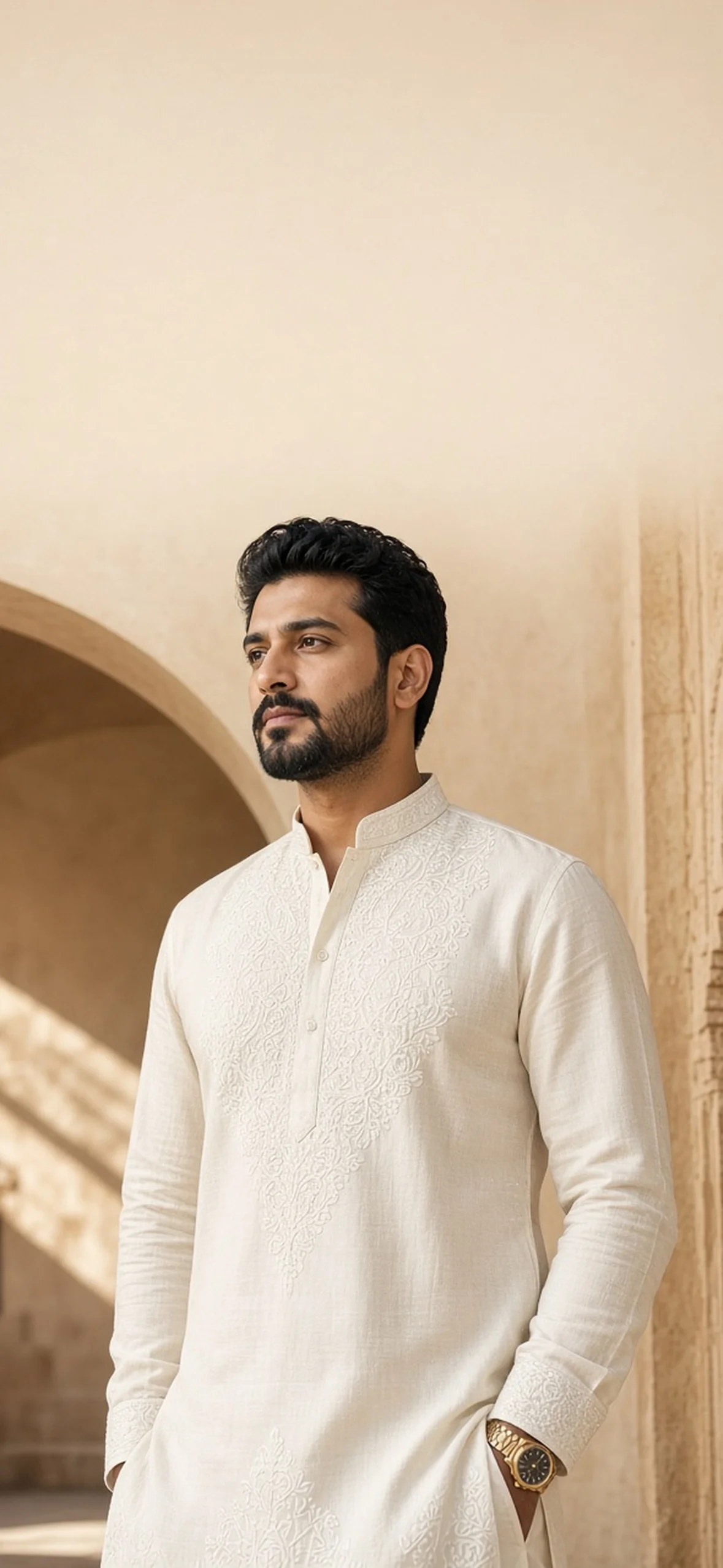
Photorealistic vertical wallpaper of an adult Indian person, composed in the lower half with the subject’s head roughly 46–50% down the frame. Keep at least the upper 35–40% entirely uncluttered with a smooth low-detail background for iPhone clock and widget safe areas, allow broad side margins for cropping to 9:19.5, natural skin pores, no text, no phone frame. adult Indian man in tailored ivory Lucknowi Chikankari kurta with fine tonal embroidery, subtle classic watch and neatly groomed beard, relaxed confident expression standing beside a palace courtyard arch with all stonework below his shoulders. Soft sand-coloured light and pale beige plain upper wall for clock, 85mm fashion editorial with realistic cotton weave and pores. No watermark, no logo, no invitation typography, no frame or UI mockup.
14. Midnight Bandhgala Courtyard
A navy-on-navy subject needs a rim light if you want layering to recognise his edge. Leave a small gap between jacket and palace pillars to avoid accidental architectural outlines.
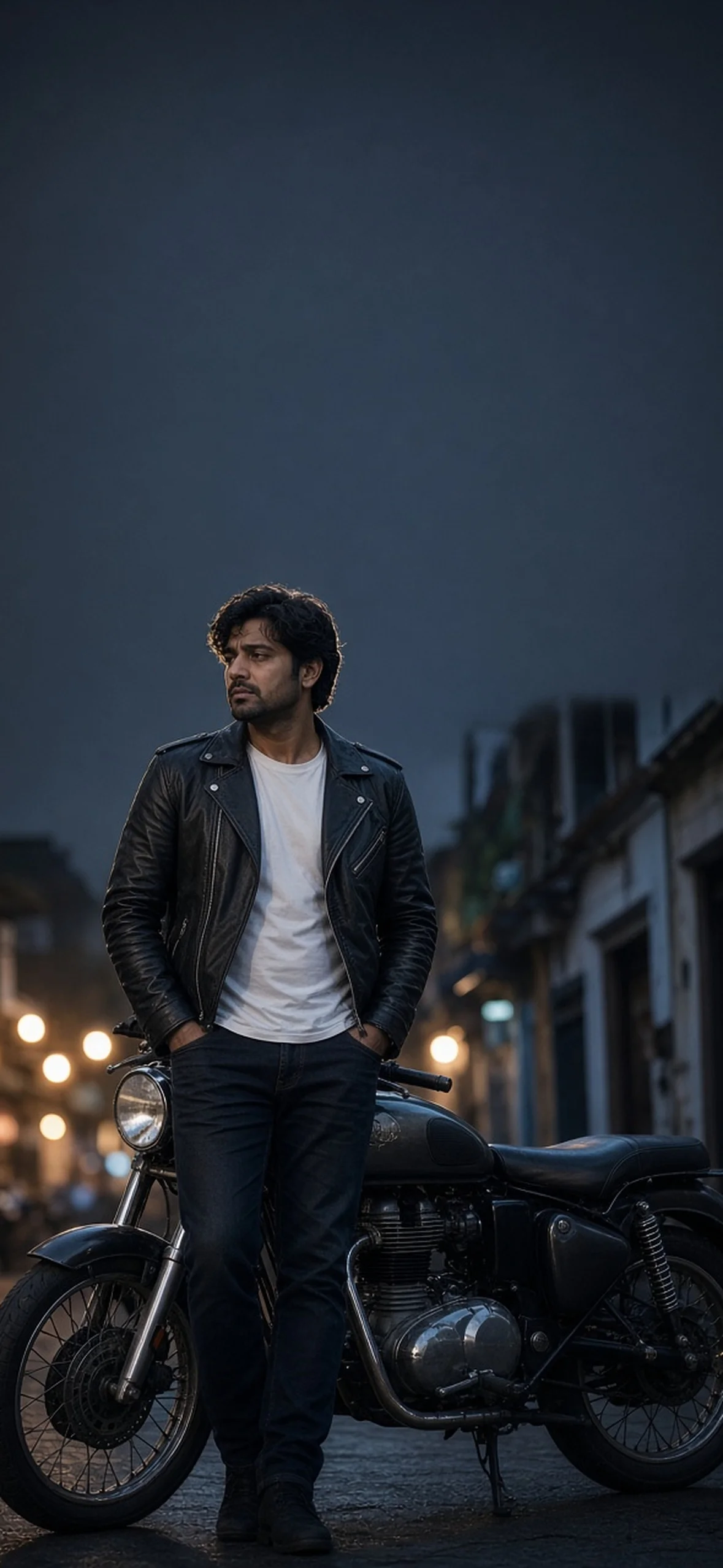
Photorealistic vertical wallpaper of an adult Indian person, composed in the lower half with the subject’s head roughly 46–50% down the frame. Keep at least the upper 35–40% entirely uncluttered with a smooth low-detail background for iPhone clock and widget safe areas, allow broad side margins for cropping to 9:19.5, natural skin pores, no text, no phone frame. adult Indian professional man in midnight-blue bandhgala Jodhpuri jacket with understated pocket square, short styled hair and neat beard, relaxed pose beside palace jali with uplighting confined to lower half. Smooth dark-navy twilight upper space, warm edge light around hair and precise wool texture, natural catchlights, 85mm formal portrait. No watermark, no logo, no invitation typography, no frame or UI mockup.
15. Mumbai Night Rider
Avoid wheels, handlebars or windshield filling the whole lock screen: the person remains the subject, the bike a supporting prop. Use a parked bike in any real shoot, not an action road stunt.
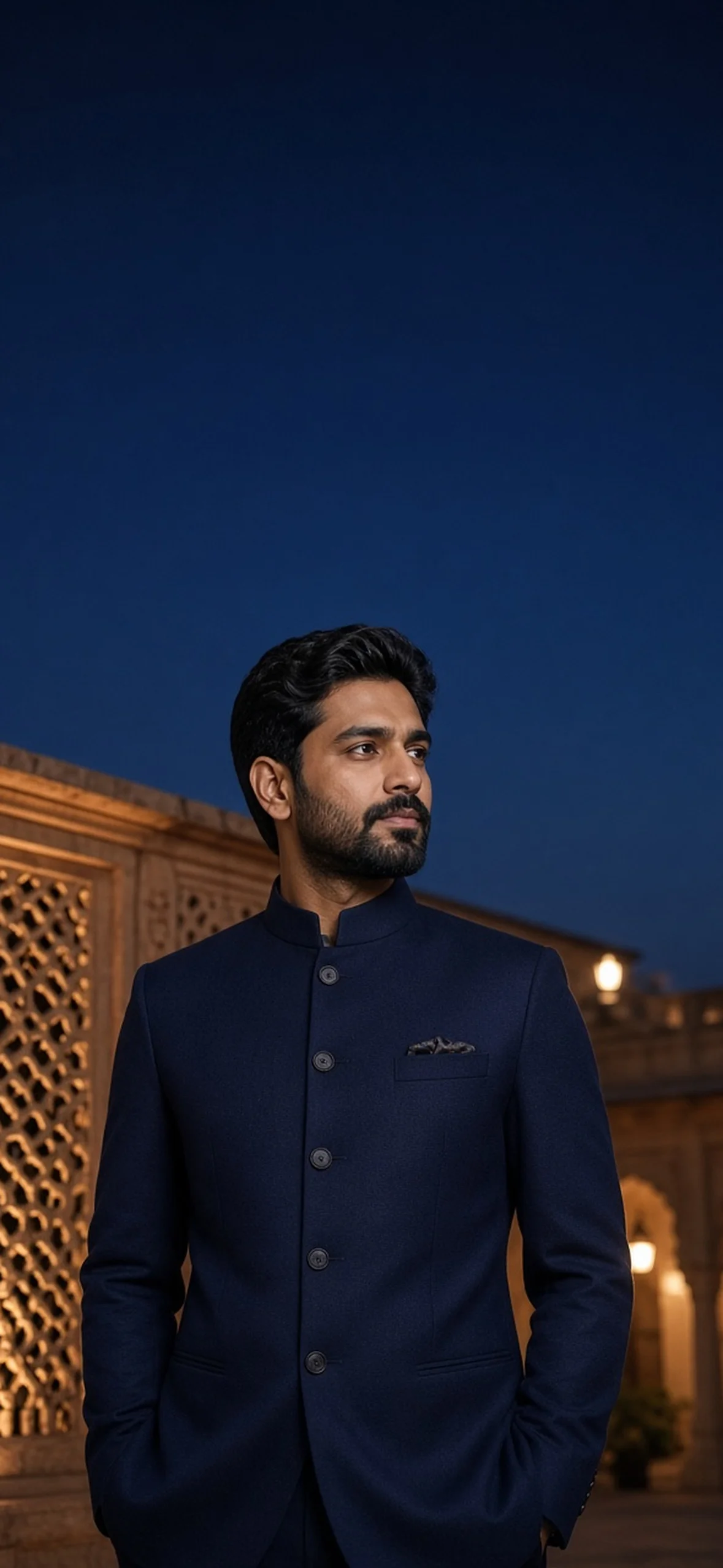
Photorealistic vertical wallpaper of an adult Indian person, composed in the lower half with the subject’s head roughly 46–50% down the frame. Keep at least the upper 35–40% entirely uncluttered with a smooth low-detail background for iPhone clock and widget safe areas, allow broad side margins for cropping to 9:19.5, natural skin pores, no text, no phone frame. adult Indian man in clean black leather biker jacket, plain white crew-neck tee and dark jeans standing beside a parked timeless unbranded vintage motorcycle in a quiet old Mumbai lane at blue hour. Warm café bokeh behind lower torso, head and bike contained beneath upper dark slate haze, 35mm cinematic lens with natural skin and realistic chrome. No watermark, no logo, no invitation typography, no frame or UI mockup.
16. Himalayan Sunrise Traveller
Full-body portraits leave ample room for widgets but can soften the face after export. Request waist-up or three-quarter framing if you want detailed eyes instead of travel landscape emphasis.
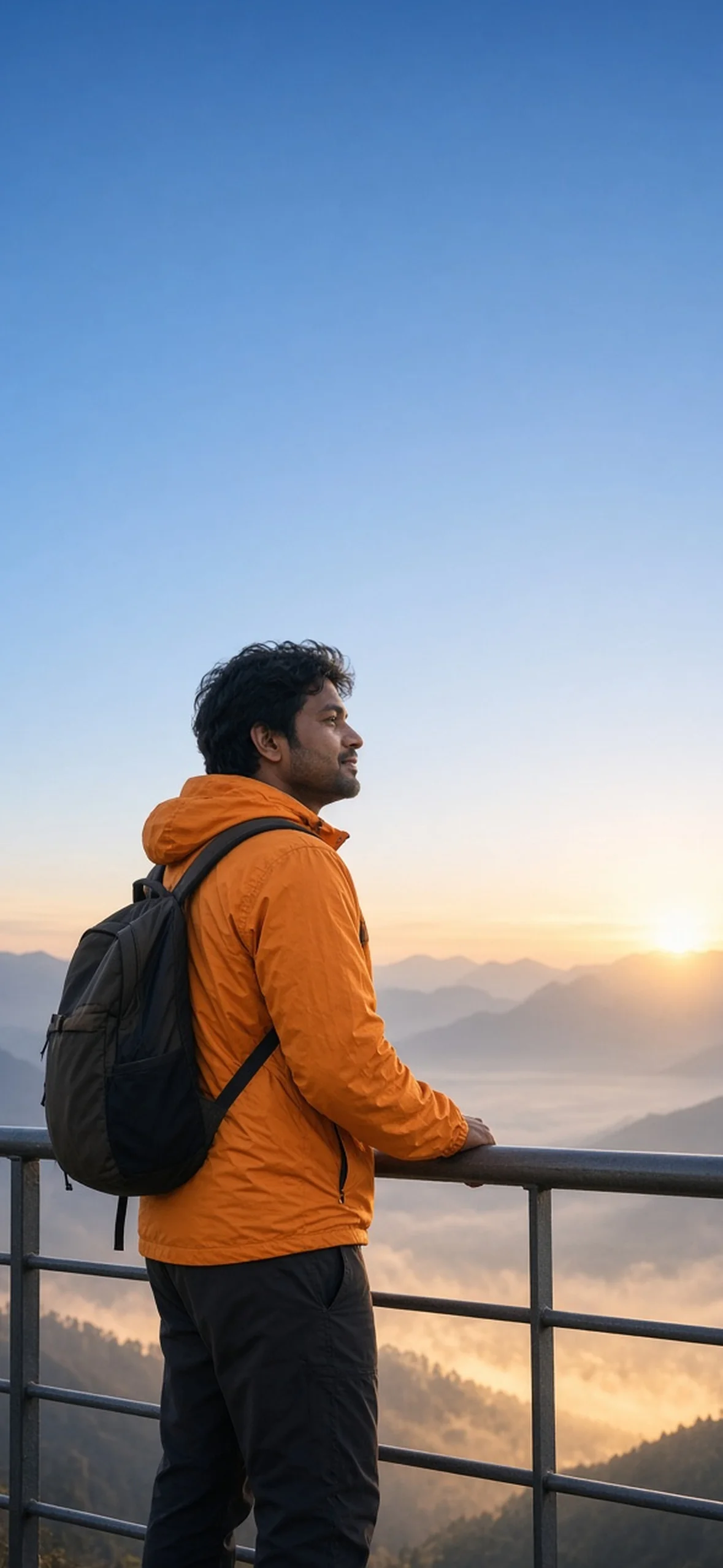
Photorealistic vertical wallpaper of an adult Indian person, composed in the lower half with the subject’s head roughly 46–50% down the frame. Keep at least the upper 35–40% entirely uncluttered with a smooth low-detail background for iPhone clock and widget safe areas, allow broad side margins for cropping to 9:19.5, natural skin pores, no text, no phone frame. adult Indian man in saffron windbreaker, dark hiking trousers and restrained backpack standing securely behind viewpoint railing above a Himachal valley. His relaxed face turns toward sunrise; mountain layers and warm cloud sea below shoulder height. Upper 45% clean pale cobalt sky, natural 35mm travel photo, no dangerous ledge pose or sponsor logos. No watermark, no logo, no invitation typography, no frame or UI mockup.
17. Ivory Lehenga and Forest Sherwani
Two faces require separate, uncluttered contours. Ask for a forehead touch and distinct head heights rather than silhouettes that merge into one shape.
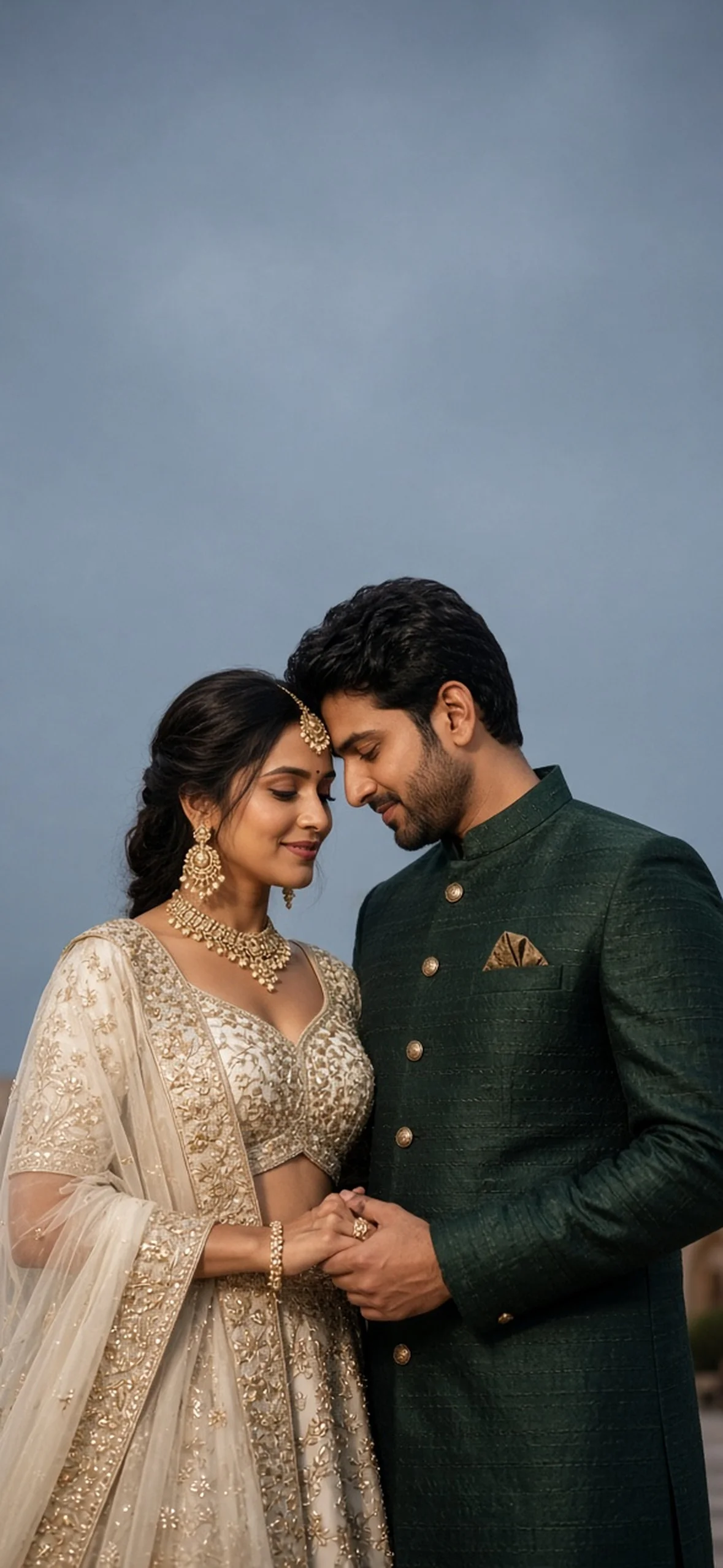
Photorealistic vertical wallpaper of an adult Indian person, composed in the lower half with the subject’s head roughly 46–50% down the frame. Keep at least the upper 35–40% entirely uncluttered with a smooth low-detail background for iPhone clock and widget safe areas, allow broad side margins for cropping to 9:19.5, natural skin pores, no text, no phone frame. adult Indian wedding couple, woman in ivory-and-muted-gold embroidered lehenga with delicate maang tikka and man in dark forest-green raw-silk sherwani, standing in quiet palace courtyard at dusk in gentle forehead-embrace with visible distinct profiles and interlocked hands at waist. Upper slate-blue blank sky, warm rim light and realistic fine fabrics without text. No watermark, no logo, no invitation typography, no frame or UI mockup.
18. Pastel High-Key Half Saree
This is the one to choose if you want a dark-grey or black clock font. Avoid busy floral shadows across the wall behind the hair and leave widgets with substantive empty space.
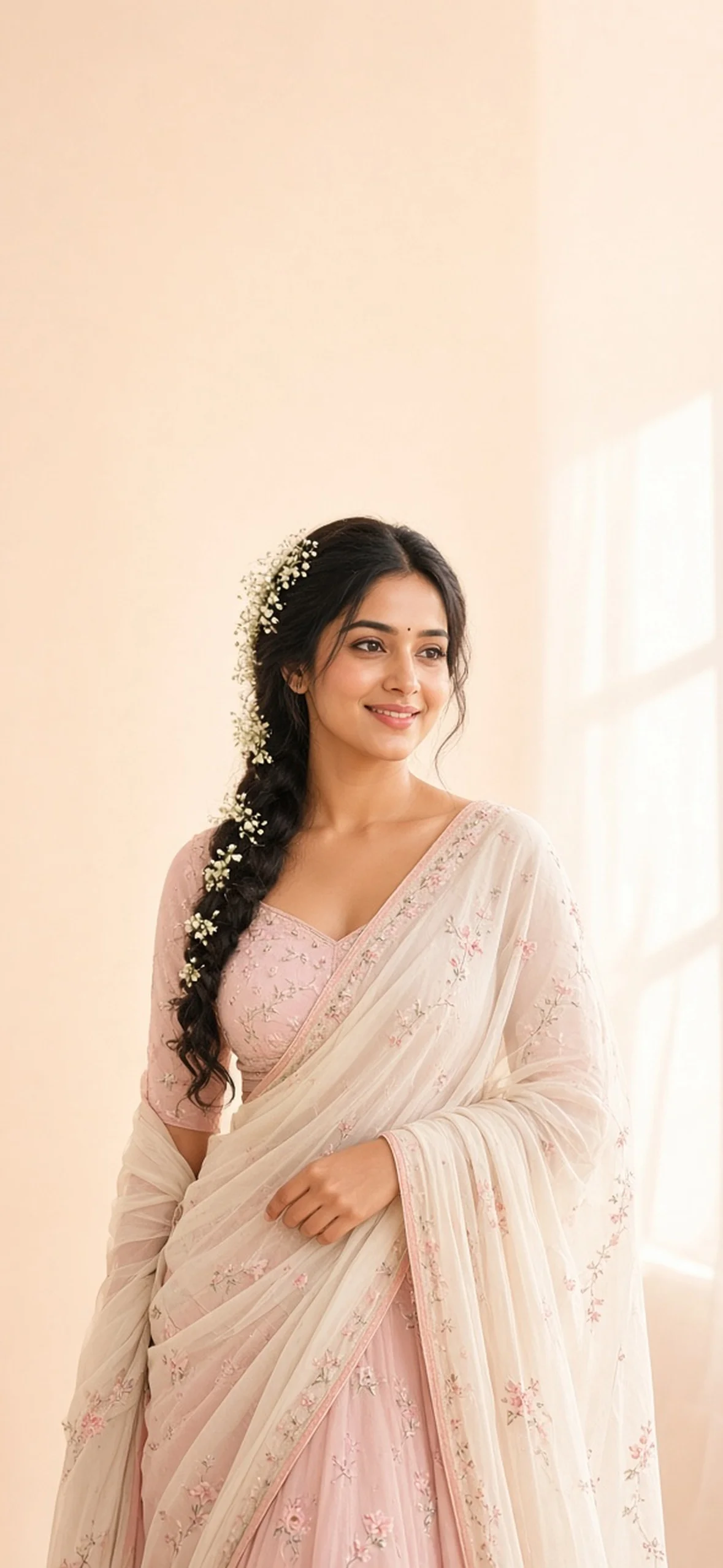
Photorealistic vertical wallpaper of an adult Indian person, composed in the lower half with the subject’s head roughly 46–50% down the frame. Keep at least the upper 35–40% entirely uncluttered with a smooth low-detail background for iPhone clock and widget safe areas, allow broad side margins for cropping to 9:19.5, natural skin pores, no text, no phone frame. adult Indian woman in blush-pink and ivory half-saree with tiny floral embroidery, braid with minimal baby’s breath, holding one edge of pallu at waist and smiling softly. Large window light in an airy high-key studio, uniform pale peach and ivory wall around head and top 40%, subtle editorial shadow only below shoulders, natural pores. No watermark, no logo, no invitation typography, no frame or UI mockup.
Editorial, Artistic and Personal Wallpaper Styles
Choose muted tones and simple upper backgrounds when you want frequent widgets, or dramatic low-key images for an uncluttered clock-only layout.
19. Terracotta Artist Studio
This quieter male portrait works with fewer widgets and a muted monochromatic clock. Keep the closed notebook blank because AI-invented titles are often gibberish.
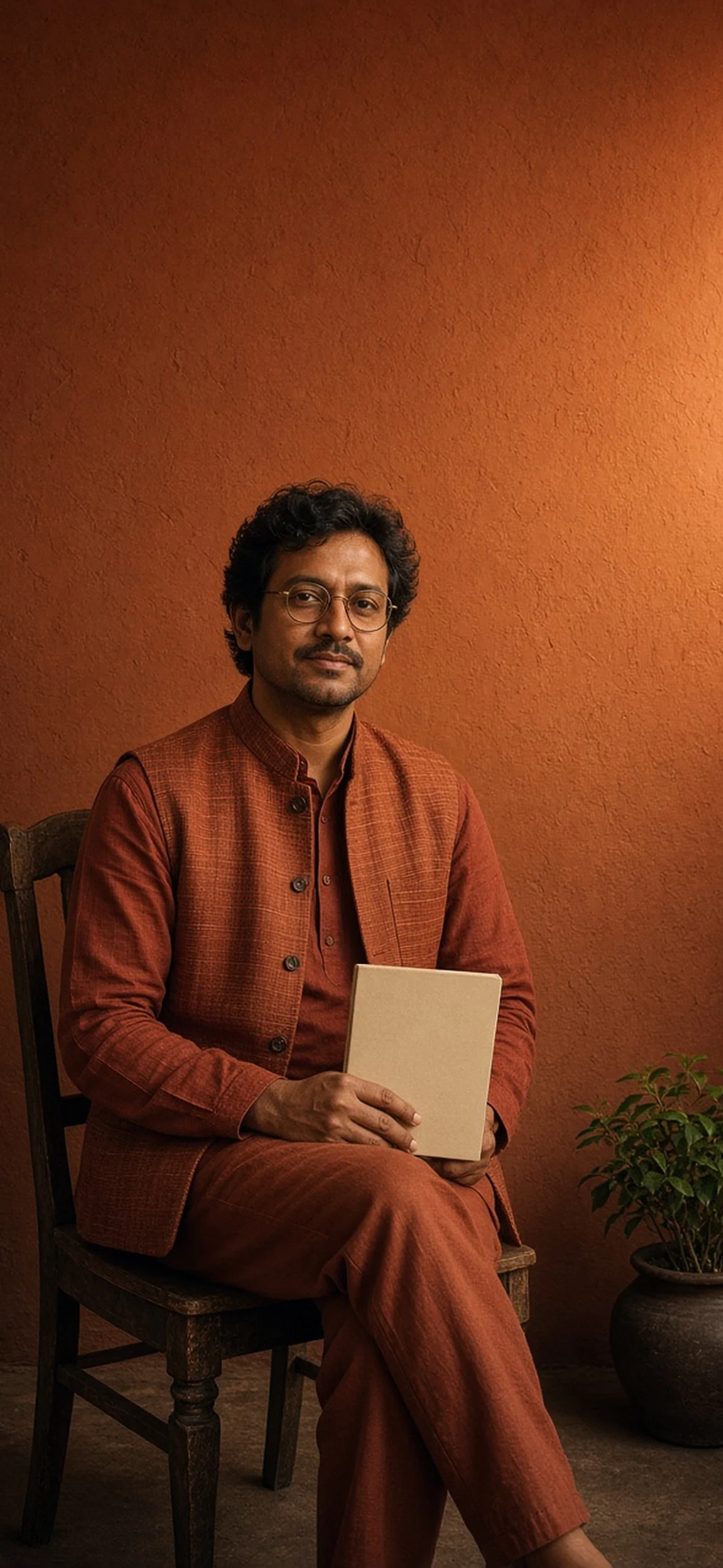
Photorealistic vertical wallpaper of an adult Indian person, composed in the lower half with the subject’s head roughly 46–50% down the frame. Keep at least the upper 35–40% entirely uncluttered with a smooth low-detail background for iPhone clock and widget safe areas, allow broad side margins for cropping to 9:19.5, natural skin pores, no text, no phone frame. adult Indian male artist with round brass eyeglasses, wavy hair and short beard, wearing handloom rust-terracotta kurta and sleeveless woven Nehru vest, seated on an old wooden studio chair with blank closed notebook in lap. Sculptural Bengal studio side light, small plant below knees, smooth burnt-sienna plaster gradient overhead, 50mm natural editorial portrait. No watermark, no logo, no invitation typography, no frame or UI mockup.
20. Coffee Window in Kolkata Rain
Rain-streaked glass can cause impressive or muddy results, depending on density. Ask for a clean patch around the person, especially the eyes, and keep hand/cup contacts simple.
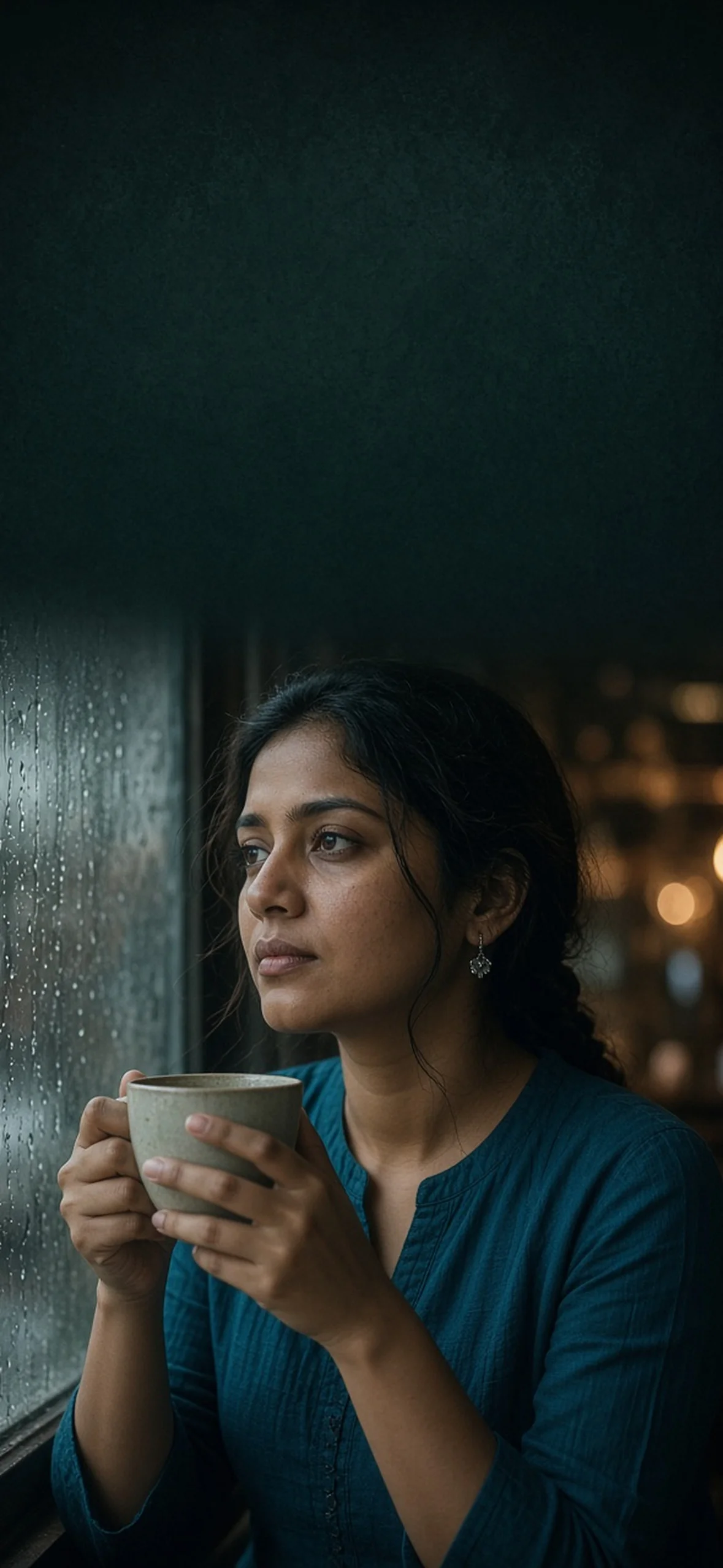
Photorealistic vertical wallpaper of an adult Indian person, composed in the lower half with the subject’s head roughly 46–50% down the frame. Keep at least the upper 35–40% entirely uncluttered with a smooth low-detail background for iPhone clock and widget safe areas, allow broad side margins for cropping to 9:19.5, natural skin pores, no text, no phone frame. adult woman with loose braid and silver earrings wearing deep-teal cotton kurta, seated inside a heritage Kolkata café and looking out a rain-streaked window while holding a ceramic cup below chin with two natural hands. Clear patch of glass around eyes, amber bokeh below shoulders, smooth charcoal-green upper wall, 50mm cinematic window light and realistic pores. No watermark, no logo, no invitation typography, no frame or UI mockup.
21. Linen Morning in Kerala
The white linen needs a muted teal clock rather than white. Request no overhead roof so iOS can see head and sky separation rather than an enclosed boat interior.
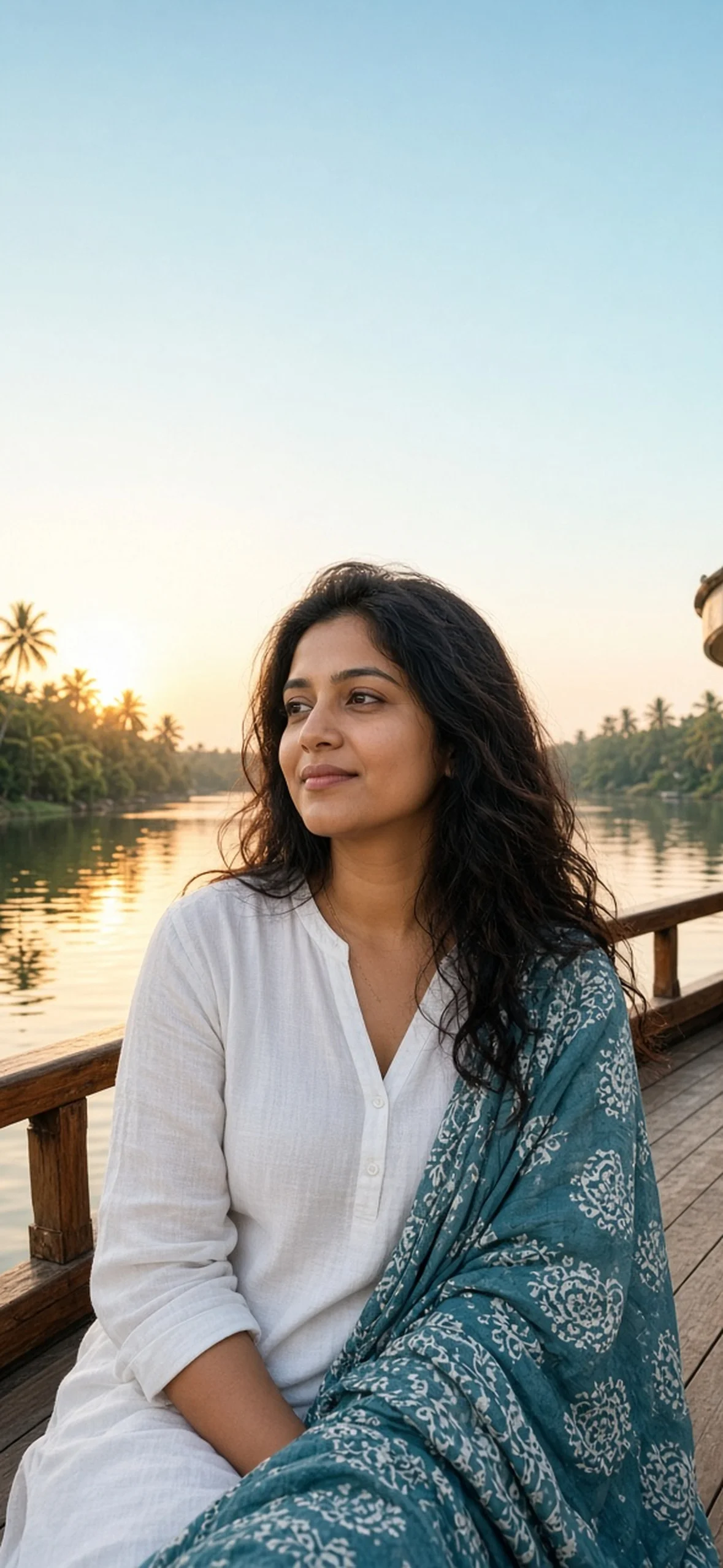
Photorealistic vertical wallpaper of an adult Indian person, composed in the lower half with the subject’s head roughly 46–50% down the frame. Keep at least the upper 35–40% entirely uncluttered with a smooth low-detail background for iPhone clock and widget safe areas, allow broad side margins for cropping to 9:19.5, natural skin pores, no text, no phone frame. adult Indian woman in breathable white linen kurta with muted teal block-printed dupatta, natural wavy hair and delicate jewellery, seated safely on a houseboat deck beside railing at Kerala backwaters during golden dawn. Water reflections and palms stay below shoulders, empty pale aqua sky above, 35mm calm travel portrait, natural light rather than airbrushed colour. No watermark, no logo, no invitation typography, no frame or UI mockup.
22. Sitar Stage Chiaroscuro
Long sitar necks often pass through the clock or build implausible strings. Keep the instrument diagonally in the lower half and inspect every fret, tuning peg and hand after generation.
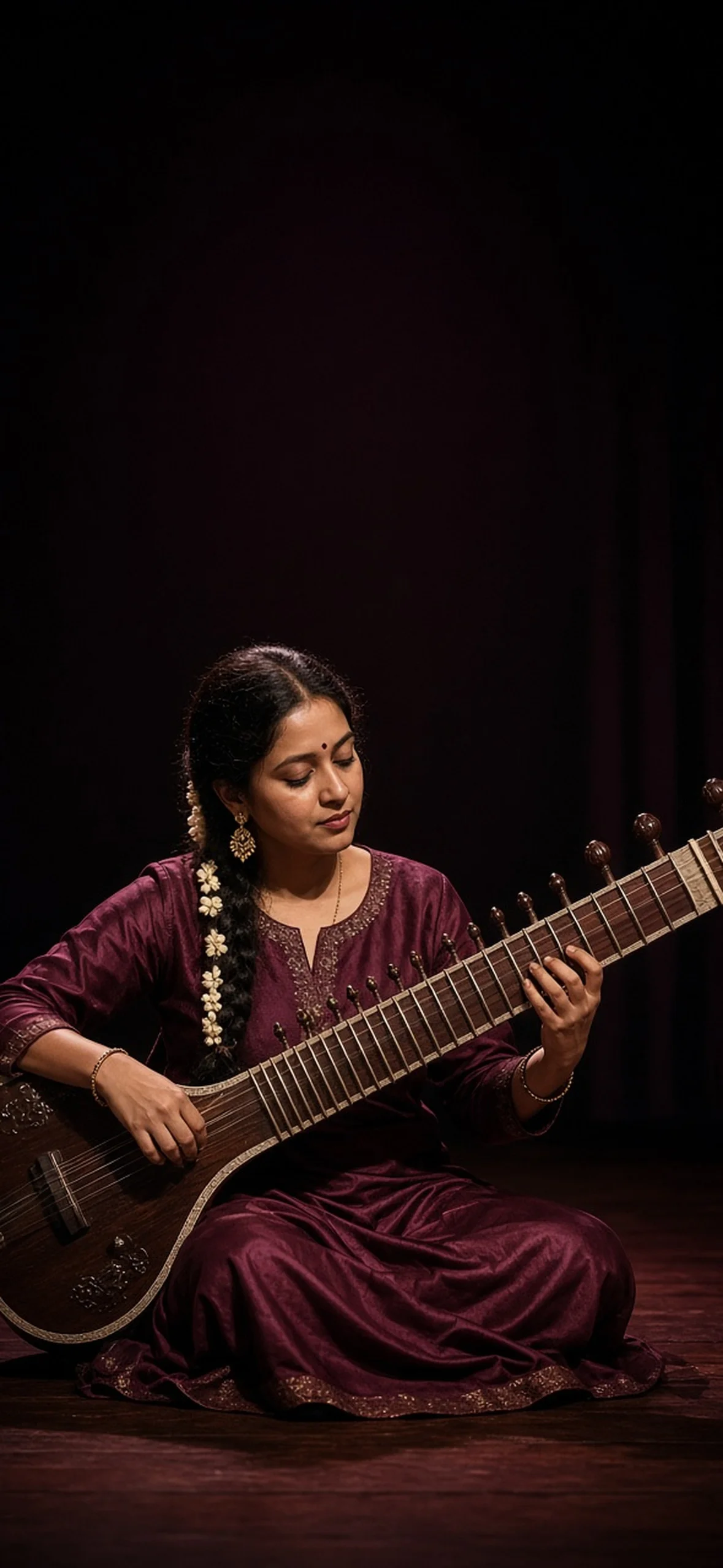
Photorealistic vertical wallpaper of an adult Indian person, composed in the lower half with the subject’s head roughly 46–50% down the frame. Keep at least the upper 35–40% entirely uncluttered with a smooth low-detail background for iPhone clock and widget safe areas, allow broad side margins for cropping to 9:19.5, natural skin pores, no text, no phone frame. adult Indian woman classical musician seated with anatomically coherent sitar across lap, wearing deep-wine silk kurta with subtle gold border and jasmine braid, concentrating gently on strings. Dark performance stage curtains and one warm side spotlight, entire sitar neck and head beneath upper black-to-burgundy plain space, realistic wood and unsmoothed skin texture. No watermark, no logo, no invitation typography, no frame or UI mockup.
23. Jaisalmer Dune Editorial
A travel outfit can still look editorial in muted sand tones. Keep sunglasses on top of the head only if their arms do not complicate the hair edge, otherwise place them away from the face.
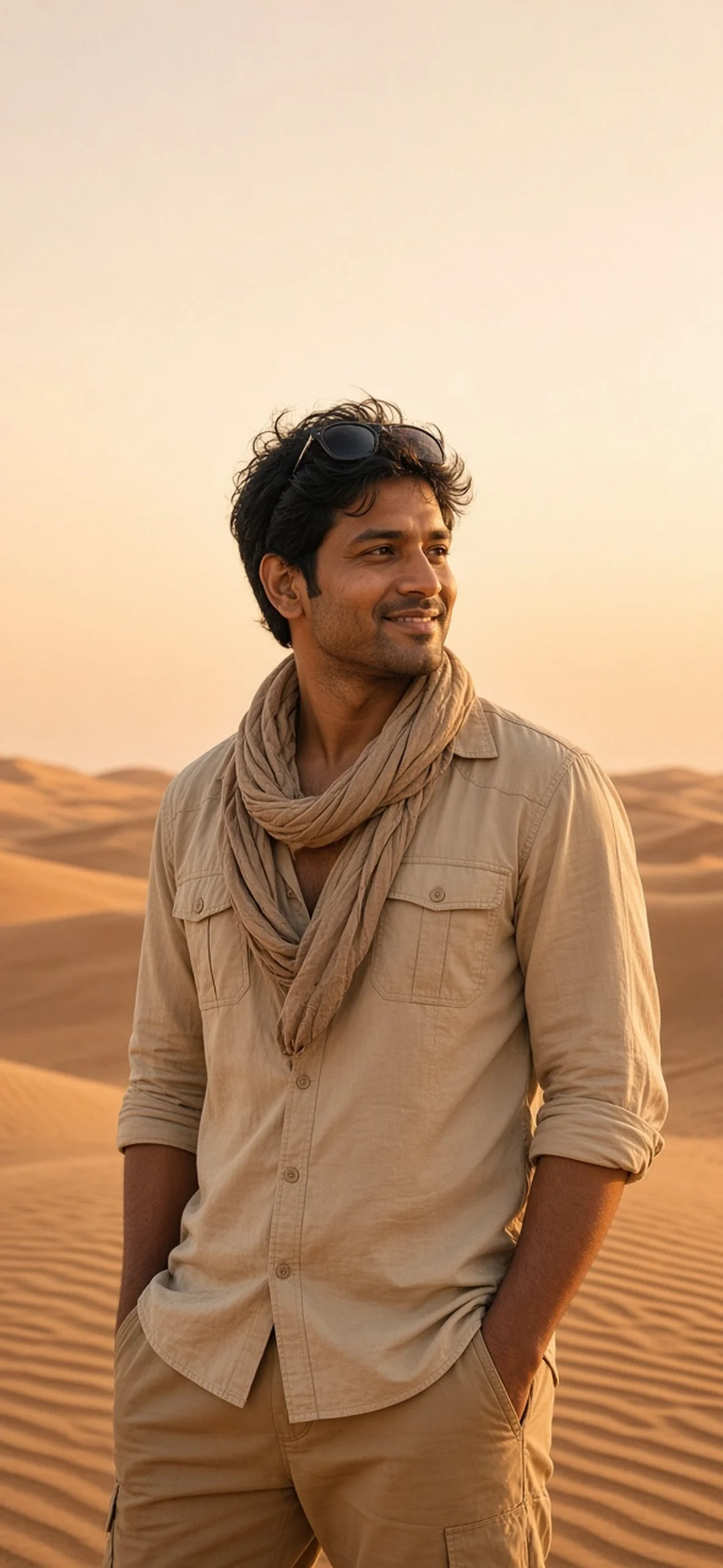
Photorealistic vertical wallpaper of an adult Indian person, composed in the lower half with the subject’s head roughly 46–50% down the frame. Keep at least the upper 35–40% entirely uncluttered with a smooth low-detail background for iPhone clock and widget safe areas, allow broad side margins for cropping to 9:19.5, natural skin pores, no text, no phone frame. adult Indian man in sand-coloured desert shirt with rolled sleeves and textured beige scarf, sunglasses resting on head without blocking hair outline, relaxed confident stance among Jaisalmer dunes at golden hour. Warm sculpted sand ridges below waist and thin rim light, empty pale-apricot sky in top 44%, 85mm travel editorial without logos. No watermark, no logo, no invitation typography, no frame or UI mockup.
24. Regal Kalamkari Monochrome
Monochrome suppresses colour but not texture. Silver jewellery against dark clothing provides bright moments, while a pale clock background supports a black or dark-grey font.
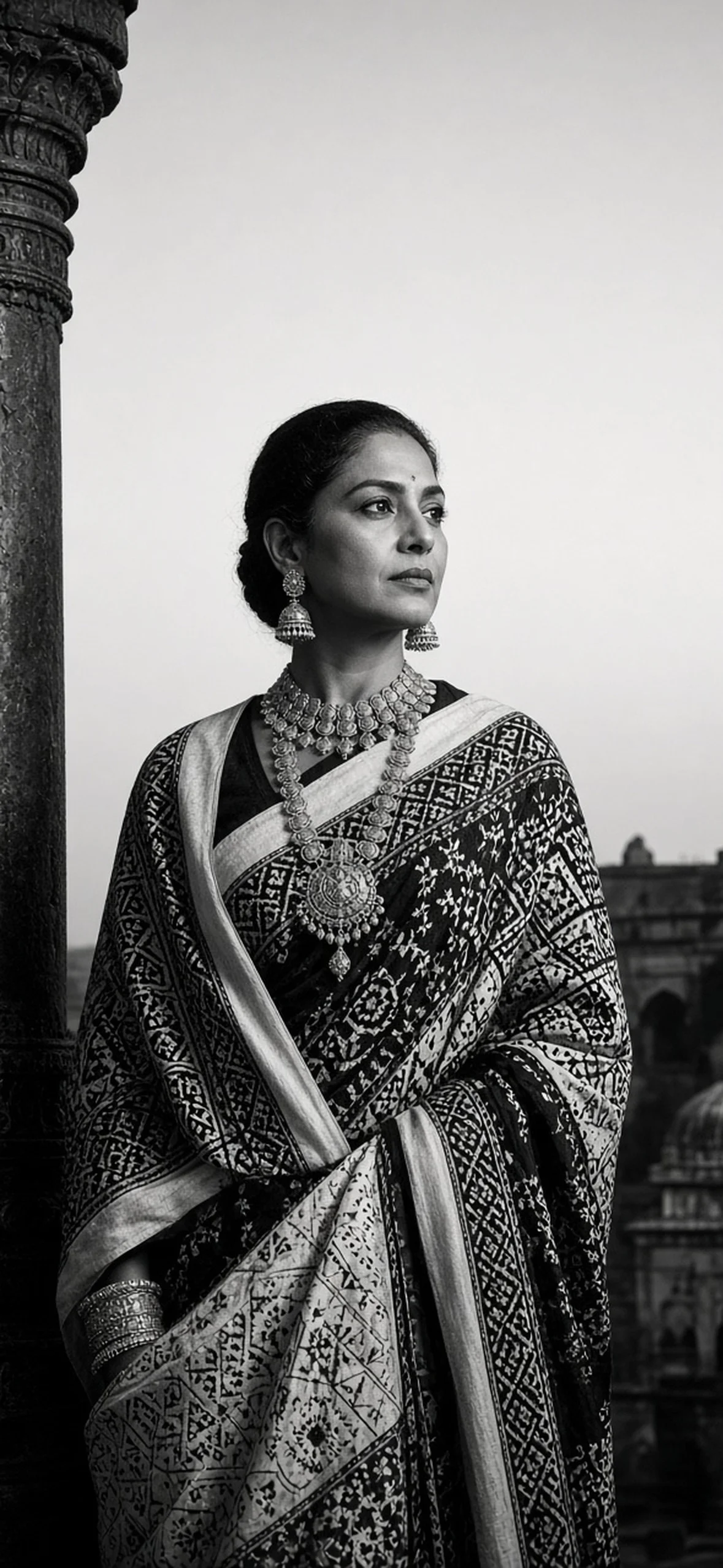
Photorealistic vertical wallpaper of an adult Indian person, composed in the lower half with the subject’s head roughly 46–50% down the frame. Keep at least the upper 35–40% entirely uncluttered with a smooth low-detail background for iPhone clock and widget safe areas, allow broad side margins for cropping to 9:19.5, natural skin pores, no text, no phone frame. pure black-and-white image of adult Indian woman in black-and-ivory geometric Kalamkari-inspired saree with matte oxidised silver necklace and jhumkas, standing beside a dark palace column and looking away with calm dignity. Directional Rembrandt side light, light-grey uniform sky in top 40%, sharp edge to hair for segmentation, fine restrained film grain and authentic pores. No watermark, no logo, no invitation typography, no frame or UI mockup.
25. Mature Anniversary Slow Dance
Phone wallpapers need not all show young models or formal brides. Using your own anniversary photo? A shared slow dance creates a personal, warm expression without extravagant scenery.
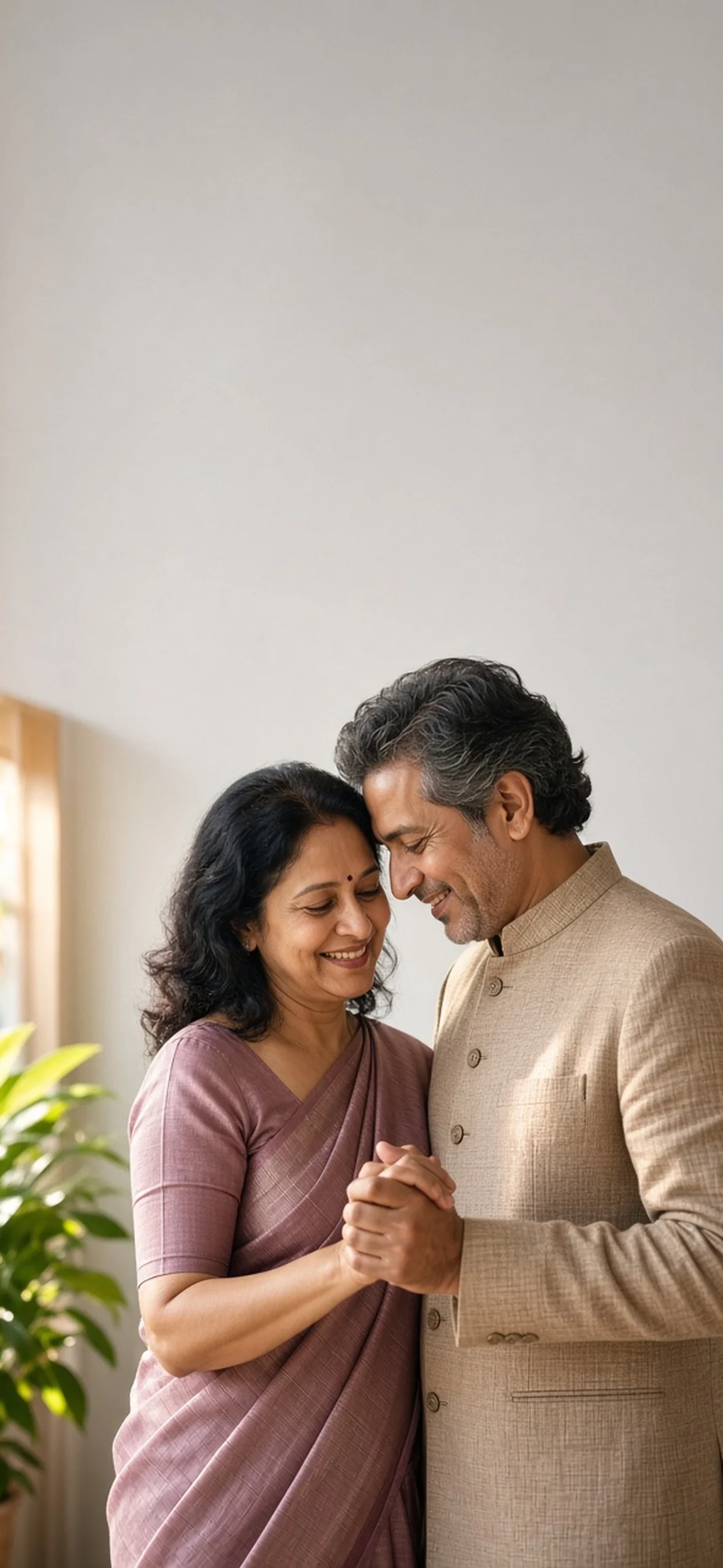
Photorealistic vertical wallpaper of an adult Indian person, composed in the lower half with the subject’s head roughly 46–50% down the frame. Keep at least the upper 35–40% entirely uncluttered with a smooth low-detail background for iPhone clock and widget safe areas, allow broad side margins for cropping to 9:19.5, natural skin pores, no text, no phone frame. mature adult Indian married couple, woman in muted-mauve silk saree and man in beige textured bandhgala, dancing slowly in a comfortable modern home while holding hands below chest, heads tenderly close but separate, relaxed genuine smiles. Sunlight window and leafy plant below shoulders, empty pale dove-grey upper wall for clock, 50mm affectionate documentary portrait. No watermark, no logo, no invitation typography, no frame or UI mockup.
How to Generate the Wallpaper in Gemini or ChatGPT
- Paste one prompt and set portrait. Request 9:16 and preserve broad side margins for longer-screen cropping. Avoid asking for a graphic of a phone or a completed fake lock screen; you need the clean background image.
- Address layout before adding detail. If the head reaches the sky, ask the model to extend the canvas upward without changing the person’s size or face. Keep your addendum short rather than repeating every clothing adjective.
- Inspect export quality. Correct anatomy includes fingers, symmetrical jewellery, actual mesh, realistic glasses, eyes and instrument design. Search for accidental readable labels and remove them.
- Resize without stretching. Export a centre crop to 1179 × 2556, or your own phone’s exact width and height. Before saving, place a temporary 35–40% translucent rectangle from the top to see the practical clock area, then remove that placeholder rectangle.
- Keep the master and test copy. Save the untouched generation and one crop for each focus or device rather than repeatedly recompressing the same image. Avoid over-sharpening, which makes hair halos.
Reference-image prompt: “Retain the identity of this consenting Indian adult with natural facial proportions, skin colour, pores and hairstyle; do not beautify into another face. Compose a full-height portrait wallpaper with 40% clear space above, broad side margins for 9:19.5 cropping and no text.” Just because a photo is saved on your phone does not grant permission to restyle or publicly post someone else’s identity.
Tool capabilities and image-generation models vary by account. The words “Imagen 3,” “DALL·E 3,” “Sony A7R V” or “Hasselblad 100mm” in a source-style prompt do not guarantee those systems are currently available or higher quality. Test your own version rather than assuming a branded prompt suffix guarantees photographic realism.
How to Set and Customise the Wallpaper on iPhone
- Save your final image to Photos without repeatedly screenshotting it, which can lower quality.
- Open Settings → Wallpaper → Add New Wallpaper and choose Photos. Alternatively, authenticate on the Lock Screen, touch and hold, then choose Add.
- Pinch to zoom and drag with two fingers to place the person. Select the Lock Screen preview and tap the time to change font, weight and colour. Try an ink, ivory or muted colour sampled from the clothing, but keep contrast.
- Tap Add Widgets for calendar, battery, weather or text. Use a widget editor for a short personal quote rather than generating typography embedded into the image. Menus can differ across iOS versions.
- Check Depth Effect or Spatial Scene only if your photo supports one. Swipe through photo filters judiciously. Choose Add or Done, then Set as Wallpaper Pair or Customize Home Screen.
- Create different Lock Screens for work, sleep and celebration and link one to a Focus. A busy Deepavali wallpaper at a meeting is not always the best permanent default.
For more ceremonial portraits and respectful wayfinding through outfit details, see our Karwa Chauth prompt guide, Diwali AI lighting guide and Kerala Kasavu saree guide. Those guides contain complementary scenes; use this guide to reframe them to mobile.
Photo Shuffle and Failure Recovery
- Open Settings → Wallpaper → Add New Wallpaper → Photo Shuffle.
- Choose manual selection or an appropriate album. Pick several images with substantially similar head heights and clear top crops; swapping between radically different crops is visually jarring.
- Set frequency using the shuffle or ellipsis control. Available options on current Apple guidance include On Tap, On Lock, Hourly or Daily; different releases may label earlier options such as On Wake differently.
- Preview every frame end to end. Removing one awkward image is more effective than accepting a foreground face under notifications all day.
If Depth Effect refuses to appear, reduce zoom, move the subject down a few pixels or soften distracting sky items. If it produces a cutout halo, reduce extreme HDR sharpening and soften the rim light. If a clock cannot be read, change font colour before adding a full artificial black bar; otherwise darken a duplicate’s upper third with a gentle gradient in a photo editor.
For whole-skin and film-style treatments that suit nostalgic portrait wallpapers, our 1980s personal portrait guide has useful texture and restraint advice. Finally, keep visible personal information—children’s names, addresses, license numbers, private event details—out of a lock-screen image or widget that other people may see.
Frequently asked questions
What is the best aspect ratio for an iPhone lock screen wallpaper?
Use your model’s native portrait ratio. The requested reference 1179 × 2556 is approximately 9:19.5, while recent models range from 1206 × 2622 to 1320 × 2868 and differ further across the range. Generate 9:16 with wider safe margins, then crop without stretching.
How much headroom should an AI iPhone wallpaper have?
Start with the top 35–40% clear of bright objects and visual clutter. Actual time and widget dimensions depend on your iPhone and interface. Keep important hair only near the lower edge of this region if attempting Depth Effect, then preview the device.
Why is Depth Effect not working on my wallpaper?
Your image may have an unclear outline, a face obstructing too much time or distracting elements crossing the clock. Try reducing zoom, moving the subject or widgets, and removing bright foreground clutter. Only supported images and devices show this option so there is no universal guarantee.
Do widgets always disable Depth Effect on iPhone?
No blanket statement is reliable across iOS releases. Current Apple guidance allows widgets, layering and other spatial options, though combinations can differ by model and screen layout. If an effect fails, temporarily remove widgets to help diagnose the composition, then reintroduce one at a time.
How do I make an Indian saree AI wallpaper realistic?
Specify the fabric, weave and jewellery precisely, name a lighting direction and a plausible lens view, and require natural skin pores and functional hands. Inspect textile structure, jewellery reflections and anatomy at full size. Avoid meaningless camera and ultra-HD suffix stacking.
Can I place a quote on an iPhone lock screen wallpaper?
Yes, but a text widget or purpose-built image editor usually produces cleaner, typo-free type than an image generator. Put the quote below the clock in a safe blank area and check notification overlap. Do not overcrowd important portrait features.
Can I use these prompts in Midjourney or FLUX as well as Gemini and ChatGPT?
Yes; their core descriptions are tool-agnostic. Aspect-ratio syntax and reference controls differ, however. Convert the requested ratio to your tool’s supported format, apply the style only once and check actual output dimensions before using it.
Related articles
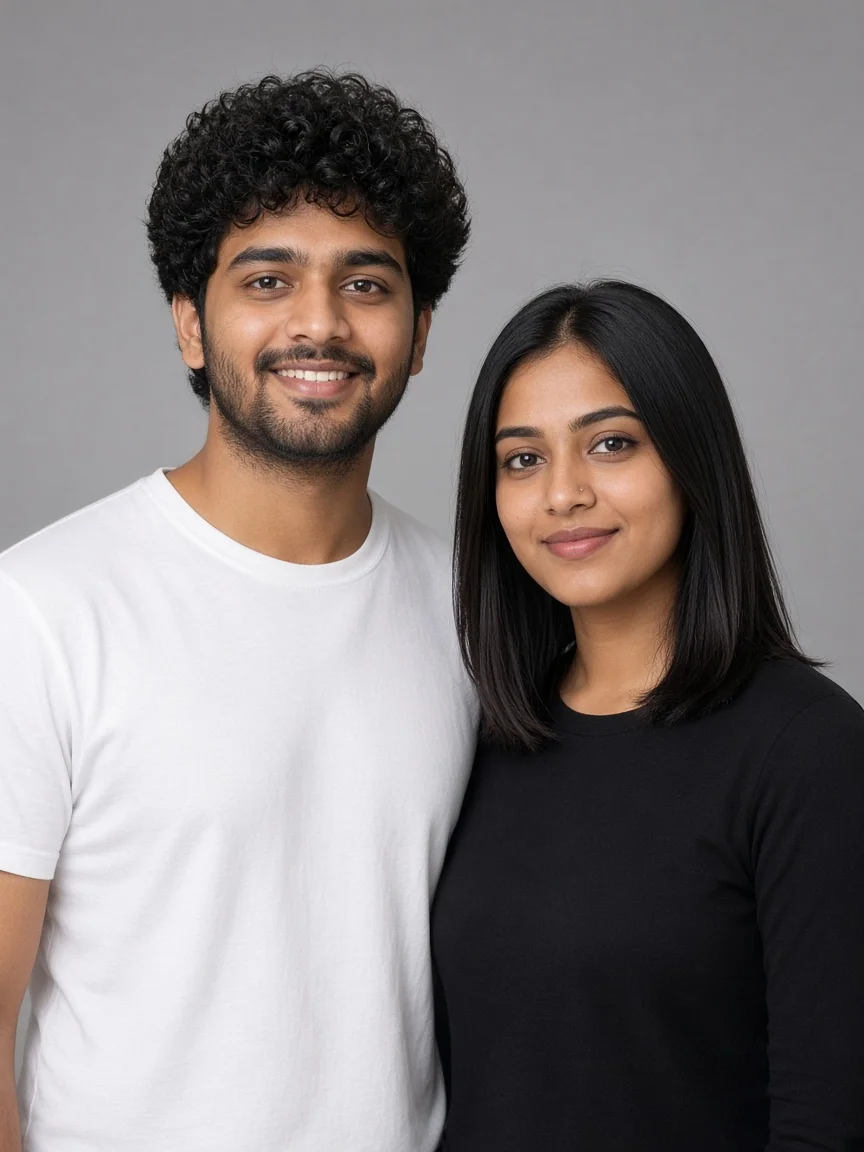
Gemini AI Photo Prompt Copy Paste Trending Boy and Girl: 10 Themes + Face-Lock
Ten copy-paste Gemini AI photo prompts for boy and girl with real results: studio face-lock test, 90s Connaught Place coffee, Jaipur courtyard, Kolkata neon rain, Himachal bonfire, Diwali doorstep, college library, Mumbai terrace picnic, Varkala cliff and Darjeeling toy train, plus a labelled two-reference method that stops face merging.
Nancy · · 17 min read
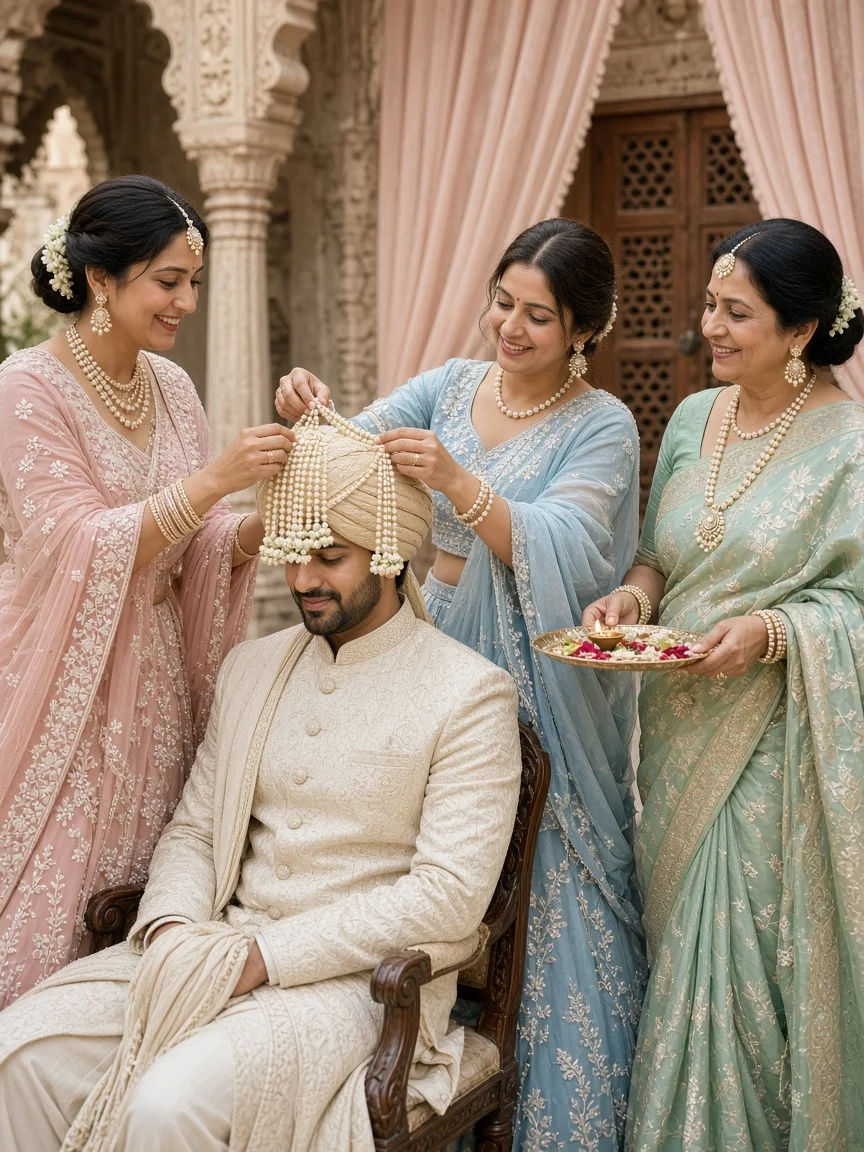
Indian Traditional Wedding Prompt for Gemini: 10 Pastel Ritual & Family Photo Ideas
Ten pastel Indian traditional wedding prompts for Gemini focused on family rituals, with real results: sehra bandi, milni, phoolon ki chaddar, kanyadaan, petal-shower blessing, vidaai, Punjabi chooda, Marathi antarpat, griha pravesh and joota chupai, plus family colour coordination and a multi-face workflow.
Nancy · · 18 min read
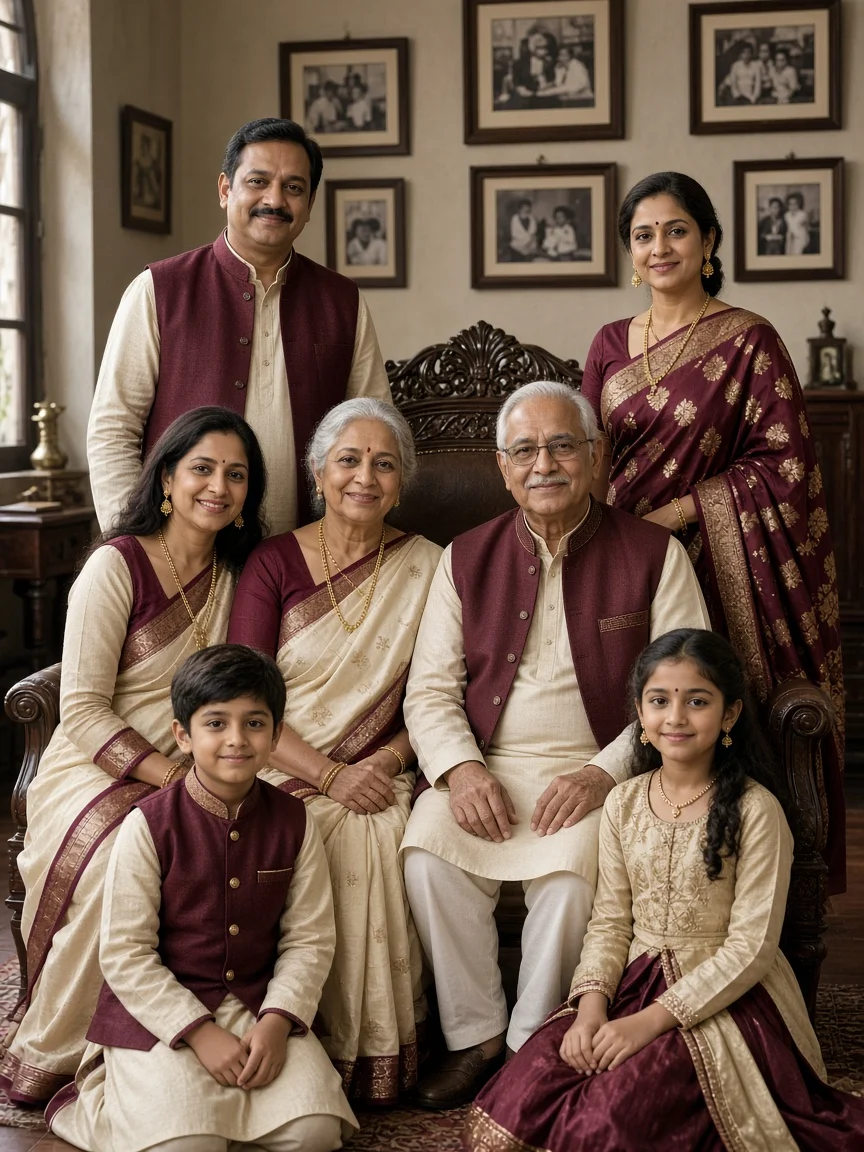
ChatGPT Indian Family Photo Prompt: 10 Joint Family Portrait Ideas
Ten ChatGPT Indian family photo prompts with images: three-generation heritage living room, beige studio, Kerala veranda, Punjabi courtyard, Sunday chai breakfast, garden walk, grandparents storytime, palace arches, reception stage and Holi blessing, plus multi-face mapping, colour planning and fixes.
Nancy · · 17 min read
Gemini AI Snow Photo Editing Prompts Free: 10 Ideas
Create realistic AI winter snow portraits with 10 free prompts for Indian men, women, couples and families, including expert snow depth, lighting and skin-tone guidance.
Nancy · · 21 min read
Comments
No comments yet. Be the first!