Instagram Profile Jump Followers Video: ChatGPT + Flow Guide

Table of contents
- What an Instagram profile jump followers video actually is
- Why the two-frame ChatGPT plus Google Flow workflow works
- Prepare the 9:16 padded start frame before any AI call
- Face consistency rules that actually hold up on Replay
- Milestone end frames: thumbs-up, thank-you, write and wipe
- Double Thumbs-Up Milestone End Pose
- Open-Arms Thank-You Celebration
- White Marker Over-Shoulder Write Pose
- White Cloth Wipe Milestone Pose
- Build the Google Flow Frames animation without wrecking the UI
- Festive Instagram profile celebration end frames
- Festive Kurta Pumpkin Aarti End Frame
- Peach Salwar Brass Aarti Thali
- Couple and thank-you variations that stay readable
- Couple Side-by-Side Double Thumbs-Up
- Hand-on-Heart Thank-You Lip-Sync Pose
- Landing Turn Full-Body Jump Pose
- Diwali Marigold Rangoli Diya Celebration
- Troubleshooting ChatGPT and Google Flow mistakes
What an Instagram profile jump followers video actually is
An Instagram profile jump followers video is a short vertical reel where a creator appears to climb out of their own circular profile photo, land on the profile screen, wipe the old follower count, write a new milestone number, then thank viewers with an open-arms or double thumbs-up finish. The format also has a festive branch: marigold frames, rangoli, diyas and a calm aarti beat for Diwali, Ayudha Pooja or similar celebrations. This guide teaches the practical two-frame method—ChatGPT end-frame stills plus Google Flow Frames interpolation—without copying any single source prompt verbatim.
Creators like the format because the background is their real profile: handle, bio, highlights and post grid stay recognisable while the motion feels surreal. Watch time rises when viewers wait to see the new number and the thank-you pose. The same workflow supports 10K, 20K, 50K, 100K or any custom milestone string you type into both the still prompt and the motion prompt. Nothing here claims algorithmic guarantees; retention depends on clarity, face match and honest milestone storytelling.
You will get ten original end-frame prompt cards matched to Indian creator poses: navy-shirt double thumbs-up, cream-blouse open arms, marker over-shoulder write, denim wipe cloth, festive kurta pumpkin aarti, peach salwar brass thali, couple double thumbs-up, cream-sweater hand-on-heart thank you, gray-hoodie landing turn, and maroon-kurti Diwali diya. Use them as ChatGPT/DALL·E style stills, then animate with your own Frames timing. For festive lighting ideas beyond this reel, the Diwali AI festive photo guide remains a useful companion.
Why the two-frame ChatGPT plus Google Flow workflow works
Generative video tools are strongest when start and end states are explicit. Your start frame is a clean, uncropped Instagram profile screenshot centered on a 9:16 black canvas. Your end frame is a photoreal still where you already stand in front of that screenshot with the new follower number or festive décor locked in. Google Flow Frames mode then invents the climb, jump, wipe, write and celebrate motion between those two anchors. Skipping a strong end frame usually produces side-walk-ins, warped bios or floating limbs.
ChatGPT image generation is used here as a controlled compositor: it should keep Image 1 flat and readable, change only the middle followers digit when you request a milestone, and place the exact person from Image 2 in a full-body or three-quarter pose. Google Flow should not redraw the UI. Your job is to say that repeatedly in plain English and to verify every seed at full size. Treat product names and free-tier limits as moving targets; always check the current upload and Frames controls in the apps you use.
This tutorial sits next to other motion-minded GAWKIN guides. The 1980s look AI video techniques guide covers retro fashion motion cues, while phone framing habits in the iPhone lock screen wallpaper prompts article help you think about safe margins on tall screens. Profile jump videos are stricter: status bar and bottom navigation must remain intact or the illusion collapses.
Prepare the 9:16 padded start frame before any AI call
Modern phone screenshots are taller than 9:16. If you feed a raw tall capture into ChatGPT or Flow, the model often crops the status bar or bottom icons. Open CapCut, Canva or any canvas editor, create a 1080×1920 project, center the screenshot, and fill empty side strips with the same dark Instagram chrome (#000000 or #121212). Never crop top or bottom chrome. Export that padded plate as Image 1 for every prompt in this article.
Confirm readability before generation: username, pronouns or category line, posts/followers/following row, bio, action buttons, highlight rings and the first post thumbnails should all be sharp. Dark theme profiles hide compression better than bright themes, but either can work if the plate stays flat. Do not place the screenshot inside a fake phone bezel; bezels invite extra crop and make Flow treat the scene like a desk product shot.
Keep a second copy of the identical start frame for Google Flow. The end frame must share the same canvas size and the same profile layout. When the milestone number changes, only that middle count should differ between start and end. Posts count and following count stay untouched. If ChatGPT rewrites a bio word or swaps a thumbnail, discard the still and regenerate with a sharper “pixel-perfect flat background” instruction.
Face consistency rules that actually hold up on Replay
Flow builds motion around the face locked in your ChatGPT end frame. A clear daylight selfie without sunglasses, heavy beauty filters or extreme wide-angle distortion is the best Image 2. Match clothing to the outfit you want on camera. If legs are missing from the selfie, specify plain trousers and sneakers so the model does not invent mismatched footwear mid-jump. For festive cards, shoot the selfie already wearing the kurta, salwar or kurti you plan to show.
Ask for photoreal skin, natural pores and no beautification. Compare eyes, jawline, hairline and any facial hair against the original selfie at 100% zoom. If identity drifts, simplify the pose before adding marigold density or marker props. Couple cards need two authorised adult references and explicit side-by-side placement; never paste a partner’s face from a public photo without permission. For romantic couple still language outside this reel format, see romantic couple black and white AI prompts and wedding anniversary couple prompts.
Keep the head below the posts/followers/following row in every end frame so the milestone stays readable. Full-body framing after landing is ideal for jump clarity; knee-up framing can work for aarti holds if the diya and face remain sharp. Generate two or three Flow seeds and pick the cleanest climb-out rather than forcing one broken seed with endless negative prompts.
Milestone end frames: thumbs-up, thank-you, write and wipe
Milestone edits are the classic profile jump. The emotional arc is climb out, land, erase the old count, write the new count, turn, thank, celebrate. Your ChatGPT still usually freezes the final celebration or a decisive mid-action beat. The four cards below cover double thumbs-up, open-arms thank you, marker write glance and cloth wipe—use them as end frames or as pose references while you craft a custom still that already shows the finished number.
Always synchronise the string NEW FOLLOWERS NUMBER across the still prompt and the Frames prompt. If ChatGPT writes 50K and Flow still says 20K, the wipe-write timing will fight itself. Prefer short milestone tokens such as 10K, 20K, 50K, 100K or 1M that fit the app’s number column. Manifestation counts are fine if your caption is honest; do not present a fabricated live count as a verified analytics screenshot.
Double Thumbs-Up Milestone End Pose
This navy-shirt double thumbs-up still is the safest default end frame for a 10-second jump. Ask for a big natural smile, both thumbs at chest height, centered stance and soft warm front-left light. Verify shoes are inside the canvas and the new followers number remains fully visible above his head. If thumbs look fused, regenerate with explicit “two separate hands, clear thumbnails.”
Upload Image 1 = your clean 9:16 Instagram profile screenshot on a black padded canvas. Upload Image 2 = a clear daylight front-facing selfie of the authorised adult Indian man wearing a casual navy shirt. Target milestone: NEW FOLLOWERS NUMBER = 20K (edit only this value). Create ONE photoreal vertical portrait end-frame for an Instagram profile jump followers video. Keep Image 1 as a flat full-screen background without redrawing username, bio, highlights, posts grid, status bar or bottom navigation. Change only the middle followers count above the word followers to 20K in the same white app font. The man from Image 2 stands full-body in front of the screenshot facing camera, head below the posts/followers/following row so the new number stays readable, feet inside the frame near the bottom. Big natural smile, both hands in a confident double thumbs-up at chest height. Soft warm front-left light, soft natural shadow on the flat screenshot, no beautification, no extra people, no stickers, no watermark. Prefer a readable 3:4 portrait crop of the person for this gallery card while keeping the tutorial workflow 9:16 in production.
Open-Arms Thank-You Celebration
The cream-blouse open-arms pose sells gratitude before the final thumbs-up. Keep arms wide but elbows soft so Flow can interpolate from a write pose without shoulder tearing. Mouth can be slightly open for a thank-you line; do not demand long dialogue in the still. Check that the 50K (or your number) is not covered by raised hands.
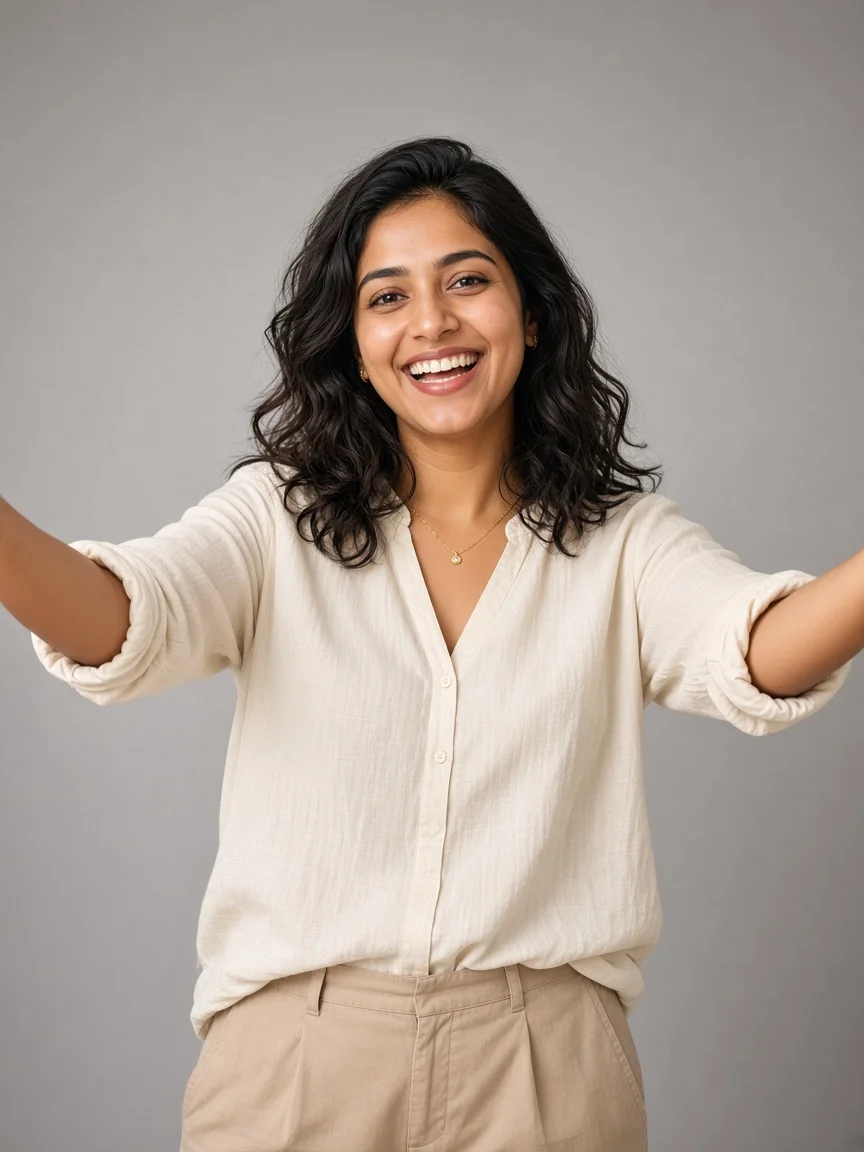
Upload Image 1 = 9:16 padded Instagram profile screenshot. Upload Image 2 = authorised adult Indian woman selfie in a cream blouse with clear eyes and hairline. NEW FOLLOWERS NUMBER = 50K. Generate ONE photoreal end-frame for a thank-you Instagram profile jump reel. Preserve Image 1 pixel layout except replace only the middle followers number with 50K. She stands centered in front of the flat profile screen, full torso visible, head below the stats row. Excited open-arms thank-you pose with a warm open smile as if finishing a short thank-you line. Soft studio-like warm light, natural skin texture, cream blouse fabric readable, no crop of status bar or nav icons in the background plate, no added captions, logos or watermark. Use this card as the celebration pose reference before animating in Frames mode.
White Marker Over-Shoulder Write Pose
Use the marker over-shoulder card when you want a distinctive midpoint still or an alternate end pose that still reads as “just finished writing.” The empty or newly written followers spot must sit exactly above the word followers. Marker tip alignment matters more than cinematic adjectives. If the bio text mutates, tighten the flat-background instruction and retry.
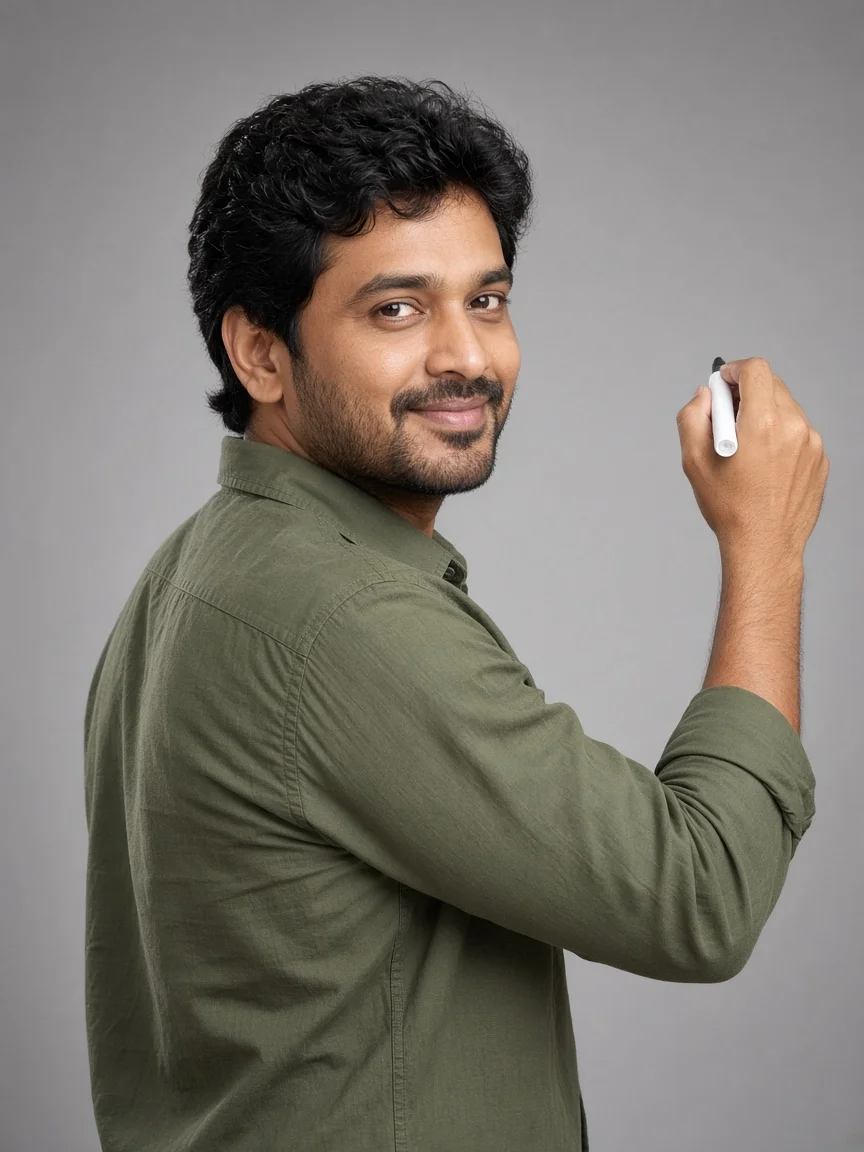
Using Image 1 (9:16 Instagram screenshot) and Image 2 (clear selfie of an authorised adult Indian man), create a photoreal end-frame that freezes the write-new-number moment of a profile jump followers video. Keep the screenshot flat and complete. Erase the old middle followers digits so the spot above followers is empty, then show him holding a small white marker raised near that empty spot while looking back over his shoulder toward camera with a focused smile. Same face, skin, hair and casual clothes as Image 2. Full body or three-quarter body with head below the stats row. Soft warm light, crisp marker tip, no rewritten bio text, no phone mockup frame, no watermark. This still becomes the midpoint reference before you animate wipe-to-write timing in Google Flow Frames.
White Cloth Wipe Milestone Pose
The denim wipe still teaches the erasure beat. The cloth should press on the middle number only. Posts and following digits stay sharp. Fingers must look human; extra knuckles are a regenerate signal. In Flow, pair this end-frame idea with timing that fully clears the old digits before writing begins.
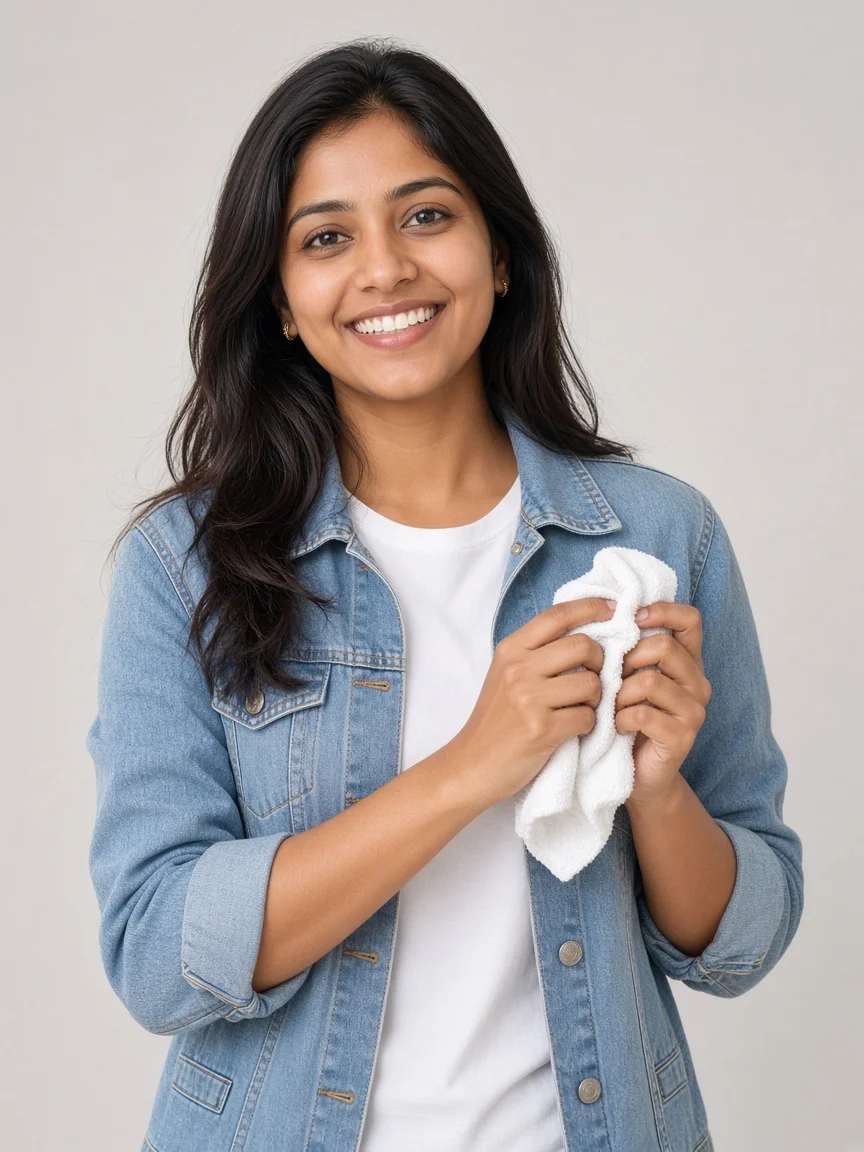
Create a photoreal Instagram profile jump wipe-pose end-frame from Image 1 (padded 9:16 profile screenshot) and Image 2 (authorised adult Indian woman selfie in a denim jacket). NEW FOLLOWERS NUMBER target will be written later in video; for this still, show the old middle followers digits partially faded under a small white cloth she holds against the number area. Exact face match, casual creator styling, natural smile, cloth held with anatomically clear fingers, body centered in front of the flat screenshot, head below posts/followers/following. Do not redraw bio, posts thumbnails or navigation. Soft daylight fill, denim texture visible, no stickers, no extra hands, no watermark. Use this wipe pose as the ChatGPT end-frame when your Flow prompt needs a cloth-erasure beat.
Build the Google Flow Frames animation without wrecking the UI
In Google Flow, choose Frames mode rather than an ingredients-only path when your product surface offers both. Upload the identical padded start screenshot as the first frame and your ChatGPT still as the end frame. Describe a single continuous 9:16 shot with no cuts, no camera shake and no zoom unless you intentionally plan a festive pull-back. State that every UI pixel except the followers number stays frozen.
Spell the action in timed beats: still open, climb out of the circle at tiny scale, jump and grow to full body with a soft knee landing, walk under the followers number, wipe with a cloth, pocket the cloth, write the new number left to right, turn to camera, thank-you gesture, double thumbs-up matching the end frame. Keep speech minimal—one short thank-you line is enough if your tool supports lip sync; otherwise rely on pose and caption.
Strict negatives help: no side entrance, no second person (unless you planned a couple card), no stickers, no yellow captions burned into the frame, no phone bezel, no studio floor replacing the screenshot. If the avatar walks in from stage left, reinforce “emerges from inside the circular profile picture.” If the background warps, restate “flat sharp screenshot, never bends, scrolls or zooms.”
Festive Instagram profile celebration end frames
Festive variants keep the climb-out fantasy but replace the wipe-write drama with décor and aarti. Marigold and mango-leaf garlands belong on the outer edges of the profile plate, never across username or stats. Rangoli and diyas live on the floor plane in front of the screen. The person may hold a pumpkin-camphor prop, brass thali or single diya; they should not wear a heavy garland that hides identity.
Treat flames as styled imagery in AI stills. Real camphor, oil lamps and fabric require adult supervision, clear space and sensible extinguishing plans. Do not claim an AI prompt makes live fire safe. For broader festive portrait language, revisit the Diwali AI prompt master guide and the Karwa Chauth couple portrait prompts. Onam textile styling in the Kerala Kasavu Onam guide is a different garment system—do not mix kasavu vocabulary into a marigold profile frame unless you intentionally create a fusion look.
Festive Kurta Pumpkin Aarti End Frame
The cream kurta pumpkin aarti card locks a calm devotional finish. Keep the pumpkin supported with two hands, flower ring stable and flame small. Head below stats, garlands only on the plate edges, banana-leaf or brass accents optional at the lower corners. If Flow invents a second celebrant, delete the seed; this prompt family is one-person unless you switch to the couple card.
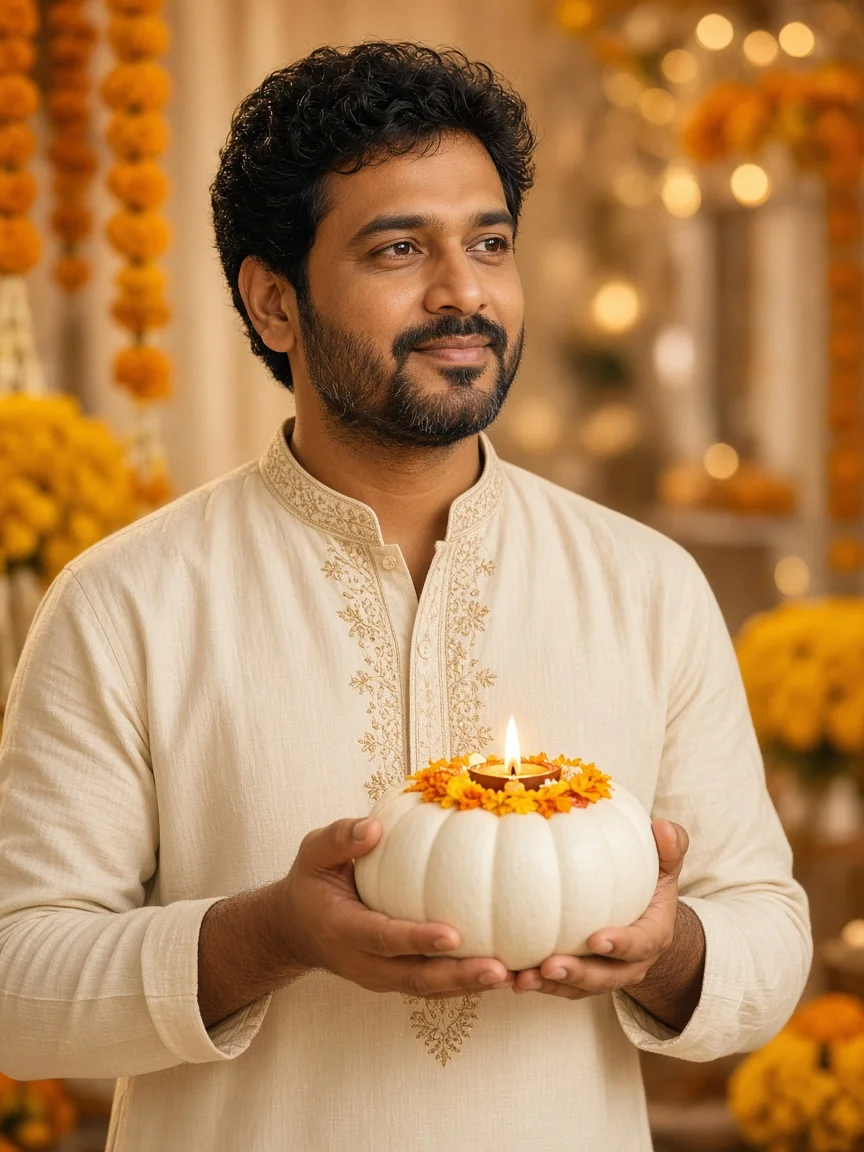
Upload Image 1 = 9:16 Instagram profile screenshot. Upload Image 2 = authorised adult Indian man selfie in a cream festive kurta. Create ONE photoreal festive Instagram profile celebration end-frame for Diwali or Ayudha Pooja styling. Keep Image 1 readable as a large flat backdrop. Add marigold garlands and mango leaves only along the outer top and side edges of the profile plate without covering username or follower stats. Soft rangoli suggestion and warm diya glow near the lower sides. He stands centered holding a white pumpkin topped with a small flower ring and a tiny lit camphor diya at chest height, calm aarti expression, head below the stats row. Photoreal face match, natural skin, no garland worn on him, no rewritten profile text, no watermark. Treat flame as styled imagery only; real staging needs adult fire safety.
Peach Salwar Brass Aarti Thali
A brass thali reads clearly in peach salwar under warm light. Ask for both hands on the rim and a single small diya. Avoid dozens of near-camera flame blobs that flatten skin tone. Confirm marigold edges do not cover the followers row. This still is an excellent festive end frame when you prefer thali motion over pumpkin props.
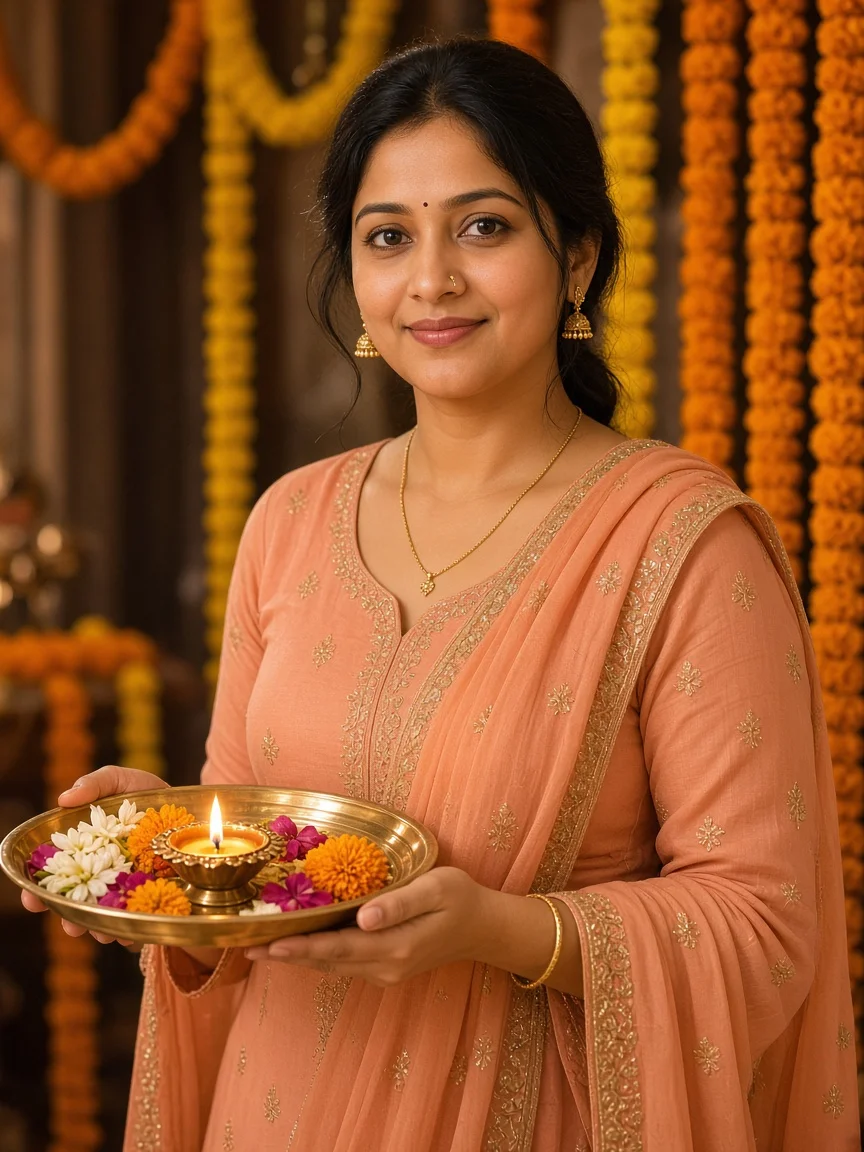
From Image 1 (9:16 profile screenshot) and Image 2 (authorised adult Indian woman in peach salwar), generate a photoreal festive profile-jump aarti end-frame. Preserve the screenshot layout exactly. Frame the plate with marigold and green leaf edges only outside text areas. She holds a brass aarti thali with both hands at mid-chest, small diya safely inside the rim, peach fabric and brass readable under warm golden light. Head below posts/followers/following, calm smile, natural brown skin, no beautification filters, no flowers covering bio numbers, no extra people, no text stickers or watermark. Vertical portrait composition suitable as the Frames end key for a short festive Instagram profile celebration reel.
Couple and thank-you variations that stay readable
Couple milestone jumps need disciplined staging: two authorised adults, matched light, shared end pose and one shared NEW FOLLOWERS NUMBER. Place both heads under the stats row. Side-by-side double thumbs-up is clearer than overlapping hugs that hide the count. If one face collapses, regenerate with separate identity clauses for each partner rather than a vague “couple” token.
Hand-on-heart thank-you stills bridge speech and celebration. Keep the hand light on the sternum, sweater texture intact and smile warm. Use it when your Flow timing includes a short thank-you line before thumbs-up. Landing-turn hoodie stills emphasise athleticism of the jump; soft knee bend and visible sneakers sell gravity better than floating torsos.
Couple Side-by-Side Double Thumbs-Up
Set NEW FOLLOWERS NUMBER = 100K or your shared goal. Verify both faces against their selfies and ensure neither partner’s arm covers the middle count. Soft shadows on the flat screenshot should look like people standing in front of a screen, not stickers pasted on glass.
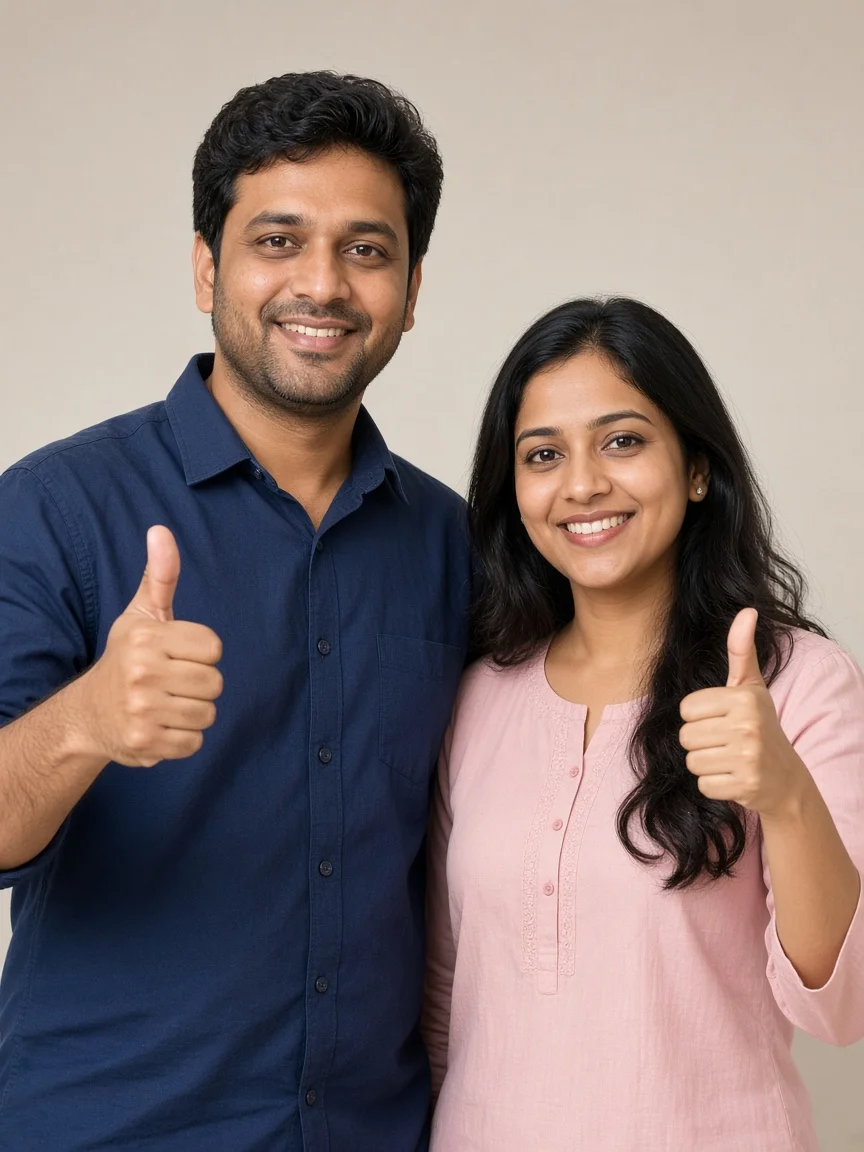
Upload Image 1 = shared 9:16 Instagram profile screenshot for a creator couple page. Upload Image 2a and Image 2b = authorised adult Indian man and woman selfies with matching casual outfits. NEW FOLLOWERS NUMBER = 100K. Create ONE photoreal end-frame where both adults stand side-by-side in front of the flat screenshot, heads below the stats row, feet inside frame, each making a double thumbs-up at chest height with big happy smiles. Change only the middle followers count to 100K. Keep faces, skin tones and outfits true to the references. Soft warm front light, soft shadows on the screenshot, no third person, no caption graphics, no watermark. Use this couple milestone card when both partners appear in the same jump-and-celebrate clip.
Hand-on-Heart Thank-You Lip-Sync Pose
This cream-sweater card is for the gratitude beat. If your video tool cannot lip-sync reliably, keep the mouth in a gentle smile and put the thank-you line in the caption instead. Identity preservation still matters more than exaggerated mouth shapes.
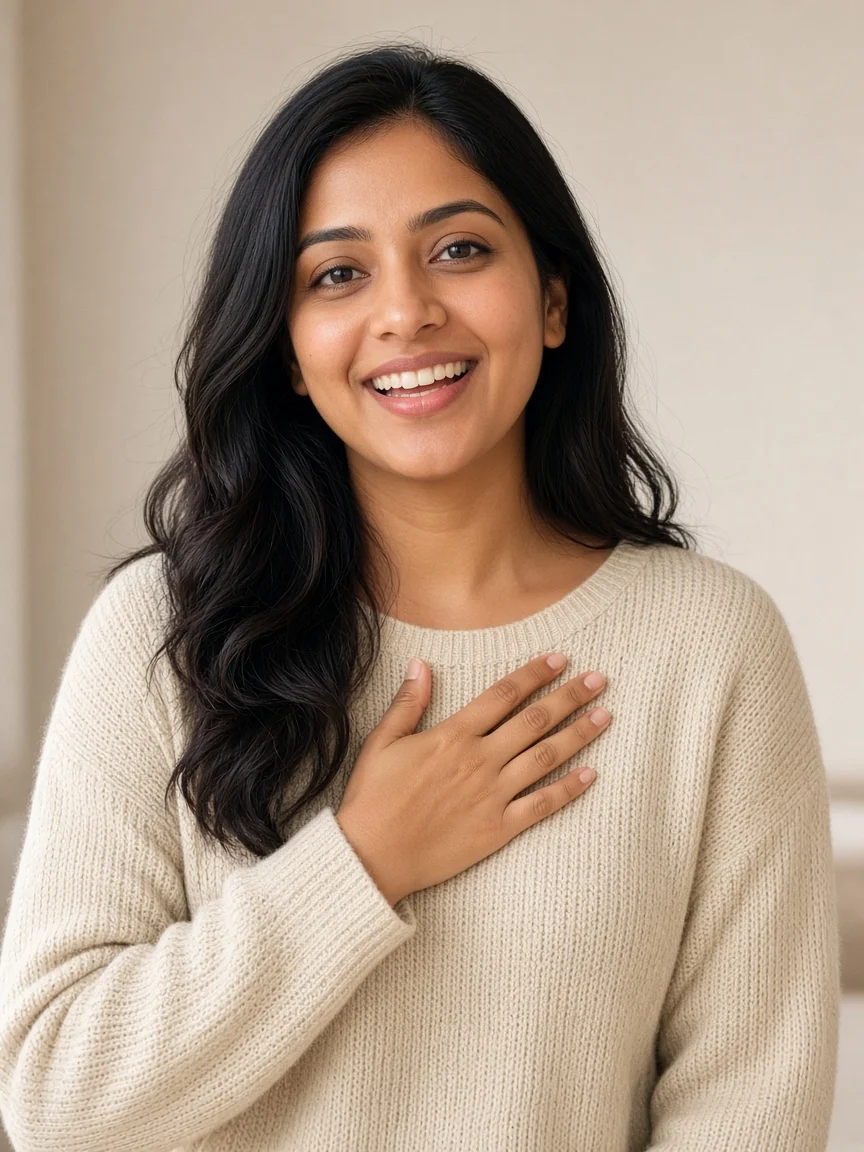
Using Image 1 (padded Instagram screenshot) and Image 2 (authorised adult Indian woman selfie in a cream sweater), create a photoreal thank-you lip-sync end-frame for a profile jump followers video. Keep Image 1 intact except the middle followers number already set to your milestone. She stands centered facing camera with right hand gently on her heart, warm smile and mouth shape ready for a short thank-you line, sweater texture clear, soft front light, natural skin. Head below the stats row so the new number remains visible. No stickers, no rewritten bio, no watermark. This still anchors the 8–9 second thank-you beat before the final thumbs-up in Google Flow Frames.
Landing Turn Full-Body Jump Pose
Use the gray-hoodie landing turn when your end frame should prove full-body continuity after the jump. Empty profile circle, readable UI, sneakers inside the canvas and a natural twist toward camera are the checklist items. If legs shear, shorten the motion description and regenerate.
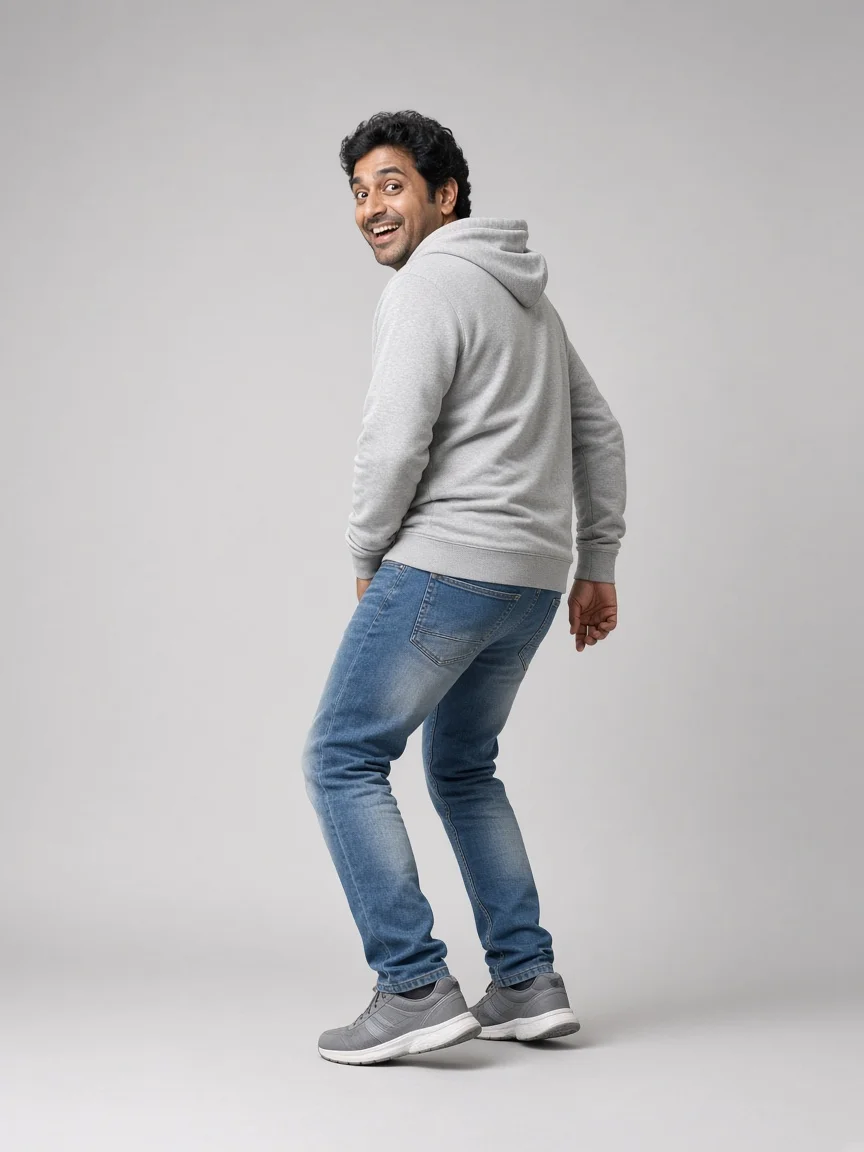
Create a photoreal full-body landing/turning end-frame for an Instagram profile jump. Image 1 = 9:16 black-padded profile screenshot. Image 2 = authorised adult Indian man selfie in a gray hoodie. Show him just after landing near the bottom-center of the screen, soft knee bend, back-three-quarter turning into a smile toward camera, full head-to-shoes visibility, head still below the posts/followers/following row. Preserve every screenshot pixel except leave the profile circle empty as if he already climbed out. Soft warm light, hoodie fabric folds realistic, white sneakers fully inside frame, no crop of status bar or bottom nav, no extra people, no watermark. Use this pose when your Frames prompt needs a clear landing-to-turn transition.
Diwali Marigold Rangoli Diya Celebration
The maroon kurti diya card closes the festive set. Rangoli stays on the floor, marigold on the sides, diya in hand, stats visible. Warm golden ambient light should not blow out embroidery detail. Export this as your festive end frame when the story is celebration rather than a follower-number rewrite.
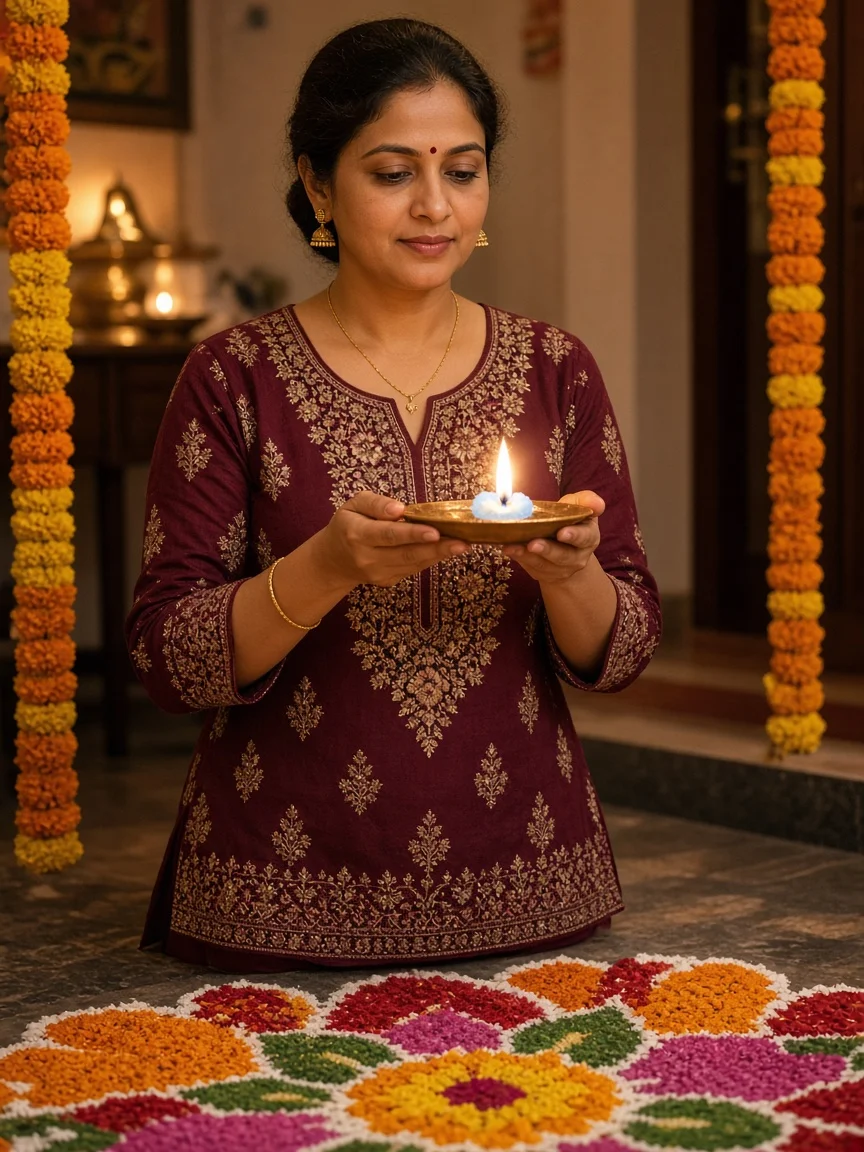
Upload Image 1 = 9:16 Instagram profile screenshot. Upload Image 2 = authorised adult Indian woman selfie in a maroon kurti. Generate a photoreal Diwali festive Instagram profile celebration end-frame. Keep the profile plate readable. Add marigold side garlands and a colorful floor rangoli in front without covering username or stats. She stands centered holding a lit brass diya at chest height with calm festive smile, warm golden ambient light, head below the follower stats row. Exact face match, natural skin, kurti embroidery readable, no worn garland on her shoulders, no rewritten profile text, no logos or watermark. Flame is illustrative only; keep real diyas supervised and fabric clear of fire.
Troubleshooting ChatGPT and Google Flow mistakes
If ChatGPT redraws bio text or translates UI labels, reply that Image 1 must stay pixel-perfect and flat, with only the person added and only the middle followers number changed. Provide the screenshot again. If post thumbnails morph, reduce creative adjectives and forbid “redesign” language.
If the person walks in from the side, you are probably not constraining Frames timing hard enough—or you selected the wrong mode. Restate the climb-out from inside the circular profile picture between roughly the first and second second. If the profile shrinks or bends, forbid zoom and demand a flat full-screen plate for the entire clip.
Face swaps mid-video usually mean the end frame identity was weak or clothing changed between still and motion prompt. Rebuild the still from the same selfie and forbid wardrobe changes. Jittery hands on wipe/write beats are common; generate extra seeds and pick the one where cloth and marker stay single objects. When festive décor covers stats, delete flower density over the top third and regenerate.
Finally, keep expectations honest. Free tiers, model versions and Frames availability change. A prompt cannot promise virality, exact follower growth or perfect lip sync. What it can do is give you a repeatable craft: padded 9:16 plate, identity-true end frame, frozen UI, timed climb-wipe-write-celebrate action, and careful seed selection. That craft is enough to publish a clean Instagram profile jump followers video your audience recognises as yours.
Before you post, export a muted preview and watch it frame by frame around the climb-out, wipe, write and final thumbs-up. Confirm the followers string matches your caption, the profile circle stays empty after exit, and no random sticker appears over the bio. Save the start plate, end still, exact prompts and chosen seed ID together so you can recreate the look for the next milestone without guessing. If a brand or collaborator appears on-screen, get explicit permission for face and handle use the same way you would for any sponsored reel.
Frequently asked questions
What is an Instagram profile jump followers video?
It is a short 9:16 reel where a creator appears to climb out of their Instagram profile photo, interact with the profile screen—often wiping and rewriting the follower count—then celebrate with a thank-you or thumbs-up pose. A festive variant adds marigold décor and aarti props instead of a number rewrite.
Which tools do I need for this workflow?
Prepare a padded 9:16 screenshot in CapCut or Canva, generate a photoreal end frame in ChatGPT (or another image model that accepts dual references), then interpolate start-to-end motion in Google Flow Frames mode. Exact feature names and free limits change, so verify current app controls.
How do I stop my screenshot from being cropped?
Phone screenshots are taller than 9:16. Center the capture on a 1080×1920 canvas and pad the sides with matching dark chrome. Never crop the status bar or bottom navigation before uploading to ChatGPT or Flow.
How do I keep my face consistent in Google Flow?
Use a sharp daylight selfie as Image 2 for the ChatGPT end frame, demand photoreal identity match, and let Flow lock onto that end-frame face. Avoid sunglasses, heavy filters and mid-video wardrobe changes. Generate multiple seeds and keep the cleanest climb-out.
Can I show any custom follower milestone?
Yes. Edit the same NEW FOLLOWERS NUMBER string in both the still prompt and the Frames prompt—for example 20K, 50K or 100K. Keep posts and following counts unchanged. Be honest in captions if the number is aspirational rather than current.
What is different in the festive Diwali or Ayudha Pooja version?
You still climb out of the avatar, but you decorate the profile edges with marigold and leaves, add rangoli and diyas, and finish with thali, diya or pumpkin-camphor aarti motion instead of rewriting the follower count. Keep flames illustrative in AI and practice real fire safety offline.
Why does ChatGPT rewrite my bio or thumbnails?
Image models often “helpfully” redraw UI. Instruct them to keep Image 1 pixel-perfect and flat, changing only the middle followers number and adding the person. If text still drifts, regenerate with fewer style adjectives and re-upload the padded screenshot.
Should I use 3:4 or 9:16 for these prompts?
Produce the actual reel assets at 9:16 so status bar and nav stay intact. The gallery cards in this article use portrait-friendly 3:4 people crops for on-site display; adapt framing when you move from blog preview to real video export.
Related articles
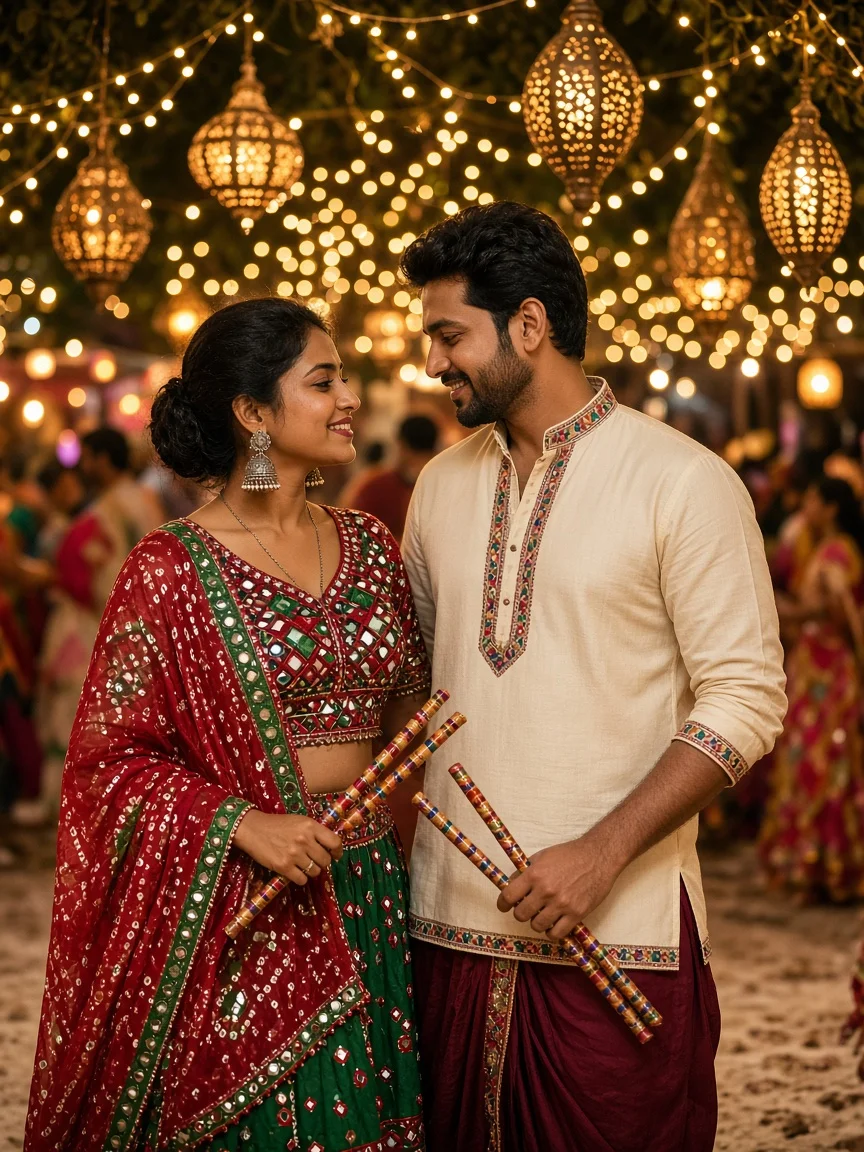
Couple Dandiya Night VN QR Code 2026: Reel Guide + 10 Shot-List Prompts
A practical guide to couple dandiya night VN QR code templates: how to scan and import them safely, plan the clip slots, film at the garba ground, pick music, export sharply, plus ten AI prompts that form a complete dandiya reel shot list.
Nancy · · 19 min read

Open Gangnam Style Trend Prompt: AI Dance Reel Guide + 10 Portraits
Honest muted-plate Google Flow and CapCut workflow for Open Gangnam Style AI dance reels, with ten original Indian adult portrait prompts for identity lock.
Nancy · · 13 min read
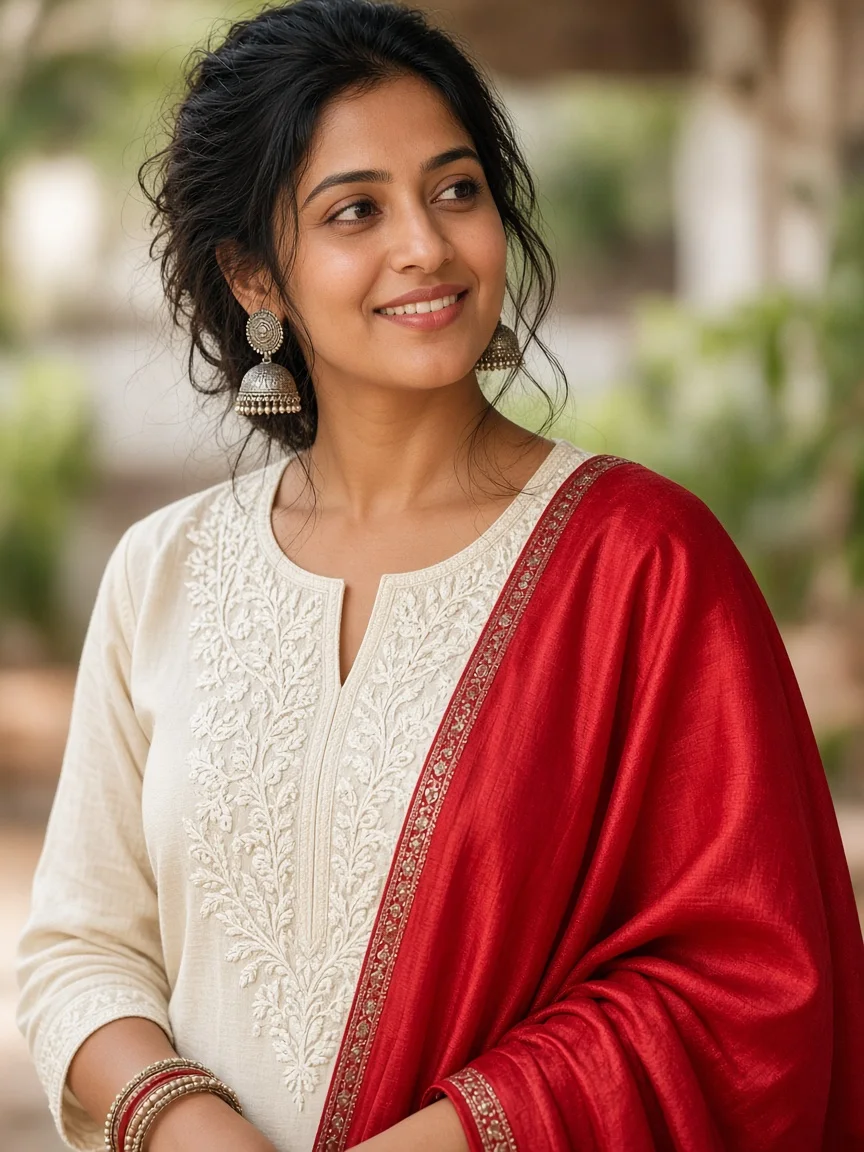
Sajna Tere Bina VN Code Template: 10 Aesthetic AI Portraits
Honest VN and CapCut Polaroid workflow for Sajna Tere Bina aesthetic reels, with ten original Indian AI still prompts ready for dual-frame templates.
Nancy · · 17 min read
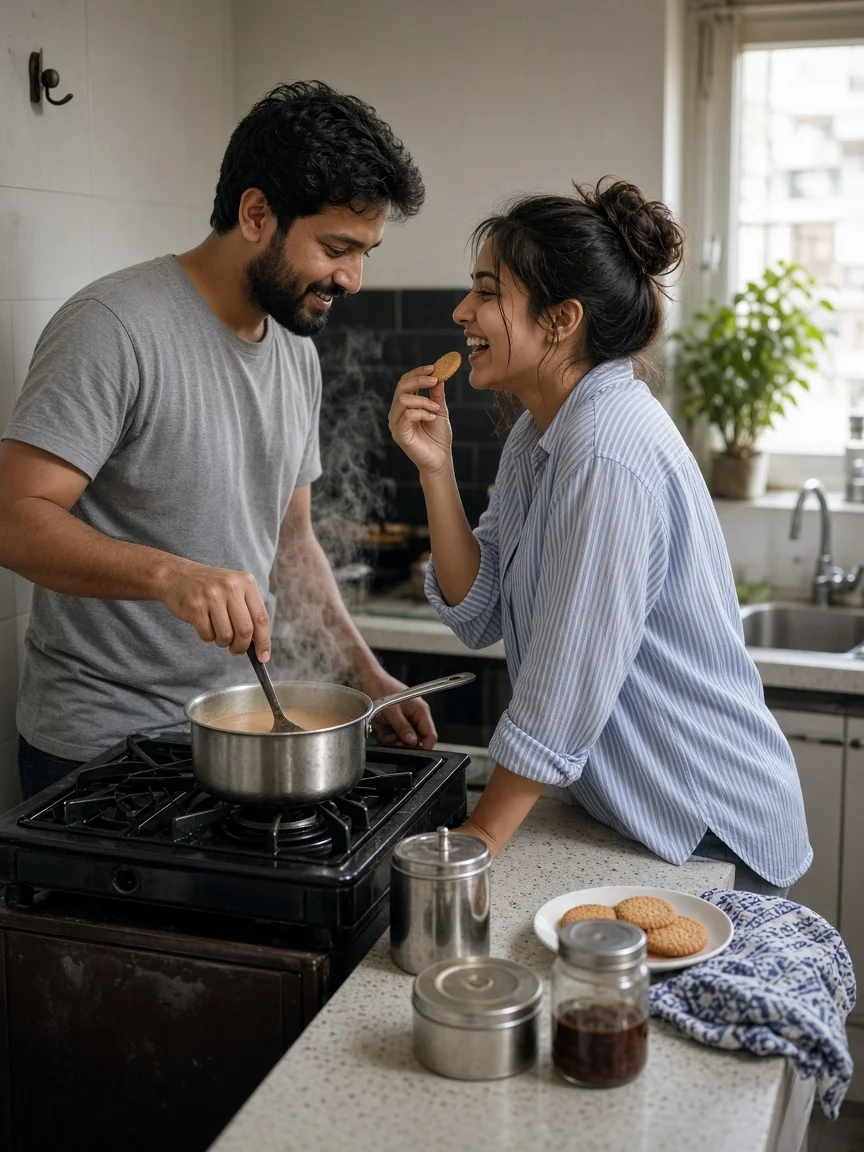
ChatGPT Candid Photo Prompt: 10 Day-in-the-Life Couple Moments
Ten ChatGPT candid photo prompts that follow one Indian couple through a day: morning chai, shared earphones, a Mumbai auto, a Bengaluru walk, a Jaipur market, a Kasauli balcony, a sangeet, a hotel corridor, Sarafa jalebi and a railway reunion, plus candid vocabulary, consistency and face tips.
Nancy · · 18 min read
Comments
No comments yet. Be the first!